AI workflow automation is about using artificial intelligence to manage, fine-tune, and run entire business processes from start to finish. This goes far beyond just automating simple tasks. It's about creating smart systems that link your people, software, and data to make decisions, adapt to new information, and operate with very little human input.
What Is AI Workflow Automation Anyway?
Think of your business as a symphony orchestra. In the traditional setup, you're the conductor, manually cueing every musician for every single note. It’s exhausting, leaves room for human error, and puts a cap on the complexity of the music you can play.
Now, imagine an AI conductor. This conductor doesn't just lead the orchestra; it anticipates the music, corrects timing issues in real-time, and can even compose new harmonies on the fly based on the performance.

That's the heart of AI workflow automation. We're not just automating isolated tasks anymore. We're building intelligent, self-optimising systems that weave your people, processes, and platforms into one cohesive operation. This shift is set to completely reshape how businesses work, moving us towards more dynamic and efficient autonomous workflows.
From Manual Tasks to Intelligent Agents
The real game-changer here is the move from doing to deciding. Traditional automation is rigid—it follows pre-set rules. For instance, "When an email with 'invoice' arrives, save the attachment to this folder." It's useful, but it’s not smart.
AI workflow automation, on the other hand, introduces 'AI agents'—essentially, your new virtual workforce. These agents don't just follow rules; they understand context, make judgements, and can manage entire end-to-end processes on their own.
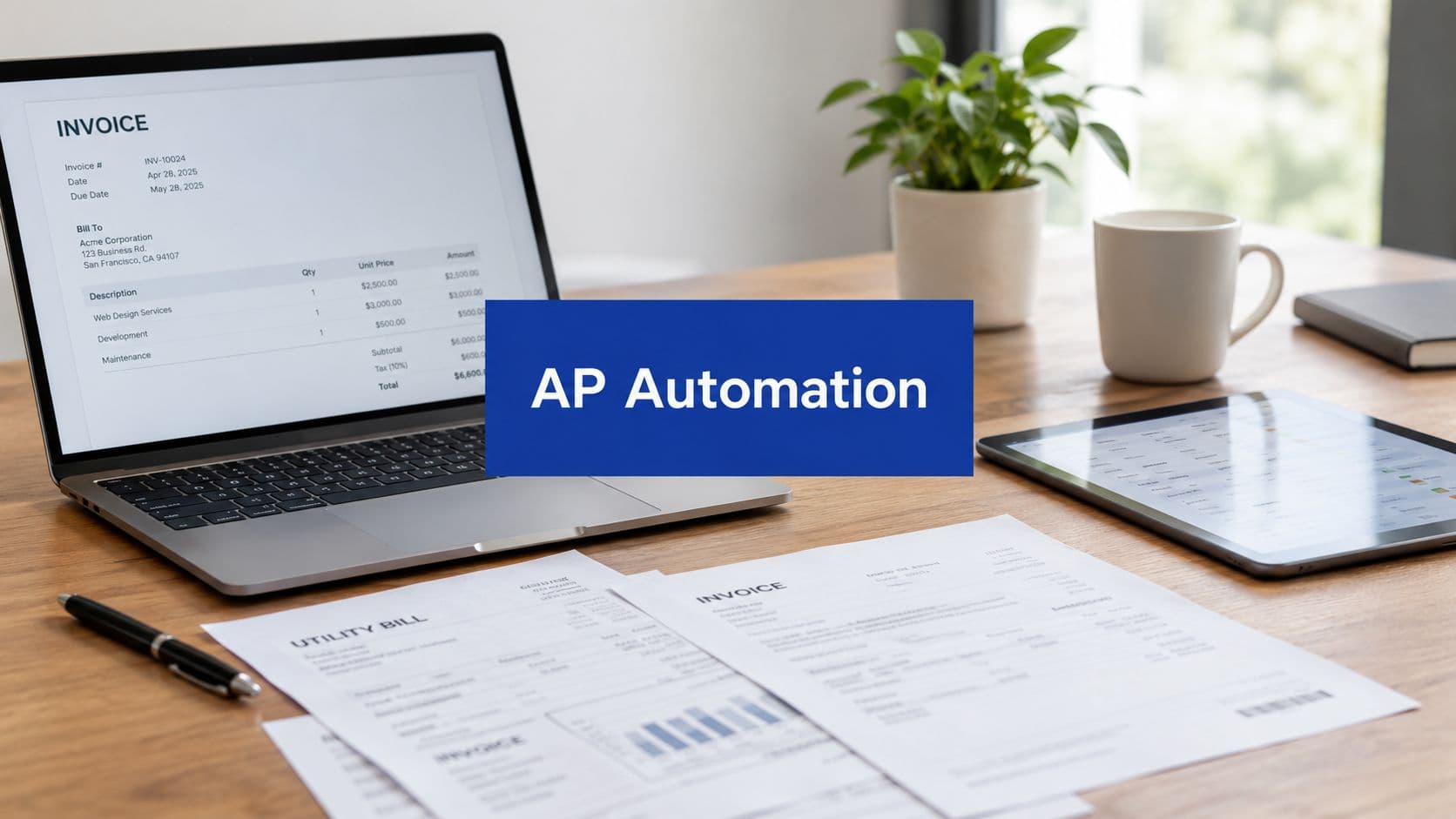
An AI agent can receive an invoice, pull out the key data, check it against a purchase order in your project management system, and if the amounts match, approve it and schedule the payment in your accounting software. It only flags the exceptions that need a human to look over.
This is a massive leap forward, especially for small to mid-sized businesses grappling with skill shortages and rising operational costs. Instead of just doing things faster, you're building a business that thinks faster.
The New Standard for Kiwi Businesses
This isn't some futuristic idea; it’s happening right now in New Zealand. Projections show that by 2026, a staggering 82-87% of New Zealand businesses will be using AI. What's more, 93% of them are already reporting major boosts in worker productivity.
This isn't just a trend. It's a fundamental shift as Kiwi companies move away from manual grind and towards smart systems for everything from project management to financial forecasting. The AI Activator initiative even forecasts this shift will add a massive $76 billion to New Zealand's GDP by 2038, as detailed in this 2026 CEO AI briefing.
In this guide, we'll walk you through exactly how to turn this potential into a real strategic advantage for your organisation. We'll lay out a clear path for implementing AI workflow automation that delivers real, measurable results, boosting both your team's productivity and your company's ability to make intelligent decisions.
The Real-World Benefits of Smart Automation
Understanding what AI workflow automation is gives you a glimpse of the possibility. Now, let’s move past the theory and focus on the tangible, real-world value it delivers to your business every single day. The benefits aren't just about small efficiencies; they represent a fundamental shift in how your organisation operates.

We can group these concrete outcomes into three core pillars: exponential productivity, significant cost reduction, and sharper decision-making. Each pillar directly addresses common business pains and provides a clear justification for investing in this kind of smart automation.
Unlock Exponential Productivity
Productivity isn't just about ticking more boxes; it's about getting more value from your team's time. Repetitive, manual work is the enemy of high-value output, and this is where AI workflow automation makes its most immediate impact.
Think about a finance team buried under a mountain of invoices. Manually keying in data, matching invoices to purchase orders, and reconciling accounts is slow and riddled with the potential for human error. It essentially turns skilled professionals into data entry clerks.
By implementing an automated workflow, the entire process is turned on its head:
- Data Extraction: AI scans incoming invoices, accurately pulling key details like vendor name, amount, and due date.
- Automated Matching: The system instantly cross-references this data with purchase orders in your project management software.
- Smart Flagging: Only discrepancies or exceptions are flagged for a human to review, freeing up your team from the bulk of the manual grind.
This single change liberates your finance experts to focus on strategic analysis, cash flow optimisation, and financial planning—the very activities that drive the business forward.
Drive Significant Cost Reduction
Preventing problems is always cheaper than fixing them. AI workflow automation moves your operations from a reactive "break-fix" model to a proactive, predictive one, which directly cuts down on both operational and opportunity costs.
The true return on investment from AI workflow automation extends far beyond simple time savings. It includes the often-overlooked value of higher employee morale, drastically reduced error rates, and the increased market agility needed to seize opportunities faster than competitors.
Imagine an IT department constantly fighting fires. An unexpected system failure can trigger expensive downtime, lost sales, and a damaged reputation.
An AI-powered monitoring system changes this dynamic completely. It can analyse system performance logs in real-time, detecting subtle anomalies that predict a potential failure long before it happens. The system can then automatically trigger a response—like reallocating server resources or notifying an on-call engineer—before the system ever goes down. This proactive stance prevents costly disruptions and ensures business continuity.
Enable Superior Decision-Making
Great business decisions rely on timely, accurate data. The reality, however, is that leaders often have to make calls based on outdated reports or gut feelings because the necessary information is scattered across different systems and is a nightmare to compile.
An AI workflow automation solution can directly fix this. Picture a sales director who needs to set quarterly targets. Instead of waiting for analysts to manually pull data from multiple sources, an AI agent can:
- Aggregate Data: Automatically connect to your CRM, finance software, and marketing platforms.
- Generate Forecasts: Apply predictive models to generate an accurate revenue forecast based on the current pipeline, historical trends, and market signals.
- Deliver Insights: Present this forecast directly within a dashboard, complete with key insights and identified risk factors.
This gives the sales director sharp, data-backed intelligence right when they need it, enabling more confident and strategic planning that gets the entire team aligned.
See AI Workflow Automation in Action
The theory behind AI workflow automation is interesting, but its real value comes to life when you see it solving actual business problems. Let’s move past the buzzwords and look at some practical examples across different departments.
I’ll break down each scenario into a simple "Problem-Solution-Outcome" format. Think of these as blueprints you can use to spot similar bottlenecks in your own organisation.
Streamlining Operations with Automated Project Updates
The Problem: Project managers often feel more like project administrators. They spend huge chunks of their day chasing down status updates, manually ticking boxes on project boards, and trying to reallocate resources based on information that’s already hours or days old. This isn't just inefficient; it causes miscommunication and slows the entire project down.
The Solution: We can build an AI-powered workflow right inside a work OS like monday.com. This system isn't just a passive record-keeper; it actively monitors task completions, team workloads, and project timelines. When a task is marked complete, the AI agent automatically updates the project’s overall progress, logs the time, and checks for any dependent tasks that can now be started.
Better yet, if it notices a team member is overloaded, the AI can flag it and suggest reassigning an upcoming task to someone with available capacity. It can even generate and send out daily or weekly summary reports to key stakeholders, putting an end to the constant "what's the status on...?" emails.
The Outcome: Your project managers are freed from the administrative grind, allowing them to focus on what they do best: strategic oversight, removing genuine roadblocks, and guiding the team. Everyone works from a single source of truth, resource allocation becomes proactive, and projects have a much higher chance of finishing on time and within budget.
An AI workflow transforms your project management platform from a passive database into an active, intelligent project coordinator that works for you 24/7. It's about maintaining momentum and keeping everyone perfectly aligned.
Achieving Real-Time Financial Clarity
The Problem: The finance director is trying to get a clear, up-to-the-minute picture of the company's cash flow, but it’s a constant struggle. Pulling data from various bank accounts, invoicing software, and expense reports is a manual, weekly slog. By the time the forecast is built, it's already out of date.
The Solution: You can set up an AI workflow to act as a virtual financial analyst. It integrates directly with the company’s bank feeds, accounting software (like Xero), and CRM. The AI agent works around the clock, continuously pulling data, categorising transactions, and updating a cash flow forecasting model in real-time.
It’s smart enough to analyse historical payment patterns to predict when invoices are likely to be paid and can monitor spending trends to project future expenses. All this information is fed into a live, dynamic cash flow dashboard, giving a true financial pulse of the business at any given moment.
The Outcome: The finance director gets unprecedented visibility. This allows for confident, proactive cash management instead of reactive firefighting. The business can spot potential shortfalls weeks in advance, identify windows of opportunity for investment, and generally operate with a much higher degree of financial resilience.
The examples above show how AI automation can be applied within specific departments. But the real magic happens when you start looking at the common challenges faced across the entire business.
Below is a table breaking down how these intelligent workflows can be put to work in different functions, from operations to sales.
AI Automation Use Cases by Department
| Department | Common Challenge | AI Workflow Automation Solution | Key Benefit |
|---|---|---|---|
| Operations | Repetitive administrative tasks and inefficient resource allocation. | Automate project updates, task assignments, and resource flagging in a work OS. | Frees up project managers for strategic work and ensures optimal team productivity. |
| Finance | Lack of real-time visibility into cash flow and manual data compilation. | Integrate bank feeds and accounting software for a live cash flow dashboard and predictive forecasting. | Proactive financial management and improved decision-making. |
| IT | Overwhelmed helpdesks with repetitive tickets and slow incident response. | Use an AI agent to categorise tickets, provide instant answers for common issues, and escalate complex problems. | Faster resolution times, reduced manual effort, and a more strategic IT team. |
| Media & Creative | Manual asset tagging, metadata entry, and tedious approval routing. | AI automatically analyses and tags new assets, then routes them to the right stakeholders for approval based on predefined rules. | Drastically speeds up content production and improves digital asset management. |
| Sales | Generic lead follow-up, poor lead qualification, and wasted time on unqualified prospects. | Create a dynamic nurturing sequence that personalises communication based on lead behaviour and engagement. | Higher conversion rates, a more engaged pipeline, and a more efficient sales team. |
As you can see, the underlying principle is the same: identify a manual, repetitive, or data-intensive process and apply an intelligent workflow to make it faster, smarter, and more reliable.
Building Intelligent Sales and Marketing Pipelines
The Problem: The sales and marketing team is stuck with a static lead funnel. Every prospect, regardless of their interest or behaviour, gets the same generic sequence of follow-up emails. As a result, engagement is poor, valuable leads go cold from a lack of personalised attention, and the sales team wastes precious time chasing people who were never a good fit.
The Solution: This is where AI workflow automation becomes a game-changer. An intelligent lead nurturing pipeline is built. When a new lead enters the system, an AI chatbot can handle the initial qualification questions. From there, the AI monitors the prospect's engagement—which web pages they visit, what emails they open, which resources they download.
Based on this behaviour, the AI automatically personalises the entire follow-up sequence. For instance, a prospect who reads a case study on a specific service gets a targeted email about that service. Someone else who watches a webinar receives an invitation for a relevant demo. This hands-off, personalised approach is proving essential for Kiwi businesses. A report from DigitalX Marketing highlights that by 2026, these intelligent funnels are expected to boost conversion rates by over 30% by using automated, behaviour-triggered follow-ups. You can explore more on how AI marketing is reshaping New Zealand businesses and helping SMEs stay ahead.
The Outcome: Lead conversion rates climb because prospects receive timely, relevant communication that actually speaks to their needs. The marketing team can finally scale its efforts without losing that crucial personal touch, and the sales team is handed a pipeline of highly qualified, engaged leads, making them far more efficient and successful.
Your Step-By-Step Implementation Roadmap
Jumping into AI workflow automation can feel like a massive project, but a good plan breaks it down into small, manageable steps. The trick is to avoid trying to boil the ocean. Instead, focus on building momentum with a series of targeted, high-impact wins that prove the value at every stage.
This roadmap isn’t about a huge, top-down overhaul. It’s a practical, step-by-step process designed to deliver real results quickly, all while building a solid foundation for more complex automation down the track. We'll walk you through finding your first opportunity right through to scaling your success across the organisation.
Identify High-Impact Opportunities
The first step is always discovery. Before you can automate anything, you need a clear picture of where the real pain points are in your current operations. Don't start with the technology; start with your people and processes.
Think of it as a workflow "health check". Map out your key business processes from start to finish. Sit down with your teams and ask them:
- What are the most repetitive, mind-numbing tasks you do every day?
- Where does data get stuck or need manual entry between different systems?
- Which processes are most likely to suffer from human error?
The answers to these questions will point you straight to the "low-hanging fruit"—those golden opportunities where a small automation project can deliver a significant return. Look for tasks that are high-volume, rules-based, and involve shuffling data between different applications.
Start Small and Prove Value
Once you've pinpointed a promising candidate for automation, resist the temptation to build a massive, all-encompassing solution. Your goal with the first project isn't to solve every problem at once. It's to prove that AI workflow automation works and delivers real value for your business.
This is where a pilot project is your best friend. Choose a simple, well-defined workflow to automate. For example, instead of trying to automate your entire lead-to-cash cycle, just start by automating the entry of new leads from a web form into your CRM and sending an alert to the sales team.
A successful pilot project becomes your internal case study. It gives you hard data on time saved, errors cut down, and productivity gained—all crucial for getting buy-in from other stakeholders for bigger, more ambitious projects later on.
This approach keeps the risk and initial investment low while delivering a clear, measurable outcome.
Select the Right Technology Stack
With a successful pilot under your belt and some momentum building, you can start thinking about the right tools for the job. You'll want a technology stack that is flexible and can scale with you, allowing you to start simple but grow into more sophisticated workflows over time. This is where a Work OS like monday.com really shows its strength.
Typically, your stack will have a few key components:
- A Central Hub: A platform like monday.com to act as the central nervous system for all your workflows.
- Integration Tools: No-code or low-code platforms like Zapier or Make to act as the glue connecting all your different apps.
- AI Services: Specialised AI tools for specific jobs like extracting data from documents, analysing text, or making predictions.
The goal is to build a connected ecosystem where data flows effortlessly between your tools, all powered by intelligent automation rules. For a deeper dive, you can explore our guide on the automation of processes and how to pick the right tools for your business.
This diagram shows the basic logic of turning a business problem into a successful automated outcome.

As you can see, the process flow clearly illustrates how identifying a problem, applying an intelligent AI solution, and measuring the results leads directly to positive business outcomes.
Powering Your Workflows with monday.com
To get real value from AI workflow automation, everything needs a central hub—a single place where your team, data, and tools can work together. If your automations are scattered across different apps, they become isolated silos, and you lose out on the end-to-end efficiency you were aiming for.
This is where a Work Operating System (Work OS) like monday.com comes in. It’s built to be that command centre. It gives you the foundation to build, manage, and grow intelligent workflows, connecting what used to be a jumble of separate tasks into a single, smooth operation.

Let's break down the three levels of putting AI to work with monday.com. Each one offers a different degree of power and customisation, so you can start small and scale up.
Level 1: Start with Native AI Features
The easiest way to get started is by using the AI tools built directly into monday.com. These features are all about quick wins and need zero technical skill to use. Think of them as a smart assistant that lives right inside your project boards.
You can use these built-in tools for things like:
- Generating task lists from a simple project brief.
- Summarising long update threads into a few clear bullet points.
- Drafting emails and documents using information from your board items.
This approach is perfect for giving your personal productivity a boost and making daily communication much faster, all without having to look at any external tools.
Level 2: Connect Your Stack with No-Code Integrations
The next step up is linking monday.com to the other software your business uses every day, like your CRM, finance tools, or marketing platforms. This is where no-code integration platforms like Make or Zapier are so valuable—they act as the digital glue holding your entire tech stack together.
To see how this works in practice, let’s look at a common task: creating a new project. The table below shows just how much manual effort AI can eliminate from a standard workflow in monday.com.
Traditional Workflow vs AI-Automated Workflow in monday.com
| Task | Traditional Manual Process | AI-Automated Process | Outcome |
|---|---|---|---|
| New Project Setup | A project manager manually creates a new board, populates it from a template, assigns team members, and sets initial deadlines by hand. | An AI-powered integration with a CRM automatically creates a new project board in monday.com the moment a sales deal is marked as "Closed-Won". | 95% reduction in manual setup time; project kickoff is instant and error-free. |
| Task Assignment | The project manager reviews the scope and individually assigns tasks to each team member, estimating timelines for each one. | The AI automation assigns tasks to the delivery team based on pre-defined roles and capacity, setting dynamic due dates based on the project’s start date. | Team members receive their tasks immediately, eliminating delays. |
| Status Update | The finance team has to ask the project manager for an update before they can send the initial invoice. | The automation sends an instant notification to a specific channel in Slack or Teams, alerting the finance department that the project is live and ready for invoicing. | 100% removal of manual follow-up; invoicing happens faster, improving cash flow. |
As you can see, the AI-driven process doesn't just speed things up; it removes entire steps that were prone to human error and delay.
This middle layer of AI workflow automation is where most businesses hit their stride. You can build incredibly powerful, cross-departmental processes that stop manual data entry in its tracks and keep the whole company in sync.
This is the point where monday.com goes from being a great project management tool to the active hub for your entire business. If you're looking to create a more efficient operational core, find out more about our monday.com implementation services.
Level 3: Build Custom Solutions with API Development
For the most complex business problems—the ones completely unique to your company—bespoke API development gives you limitless options. This means writing custom code that lets AI models read and write information directly to your monday.com account using its API (Application Programming Interface).
This advanced path is perfect for creating sophisticated processes that need deep analysis and custom business logic. For example, you could build a custom AI tool that:
- Pulls real-time financial data from dozens of project boards across your monday.com account.
- Runs that data through a proprietary forecasting model to predict profitability.
- Writes a detailed forecast, complete with risk analysis and recommendations, back into a high-level executive dashboard in monday.com.
This level of integration allows you to build genuinely unique solutions that give your business a serious competitive advantage, turning monday.com into a fully customised, intelligent platform built just for you.
Building a Secure and Governed AI Strategy
Jumping into AI workflow automation without clear guardrails is a recipe for chaos. The real magic happens when this technology operates within a solid framework of governance and security. It’s all about building intelligent systems you can actually trust—making sure they’re robust, compliant, and genuinely work for your team, not against it.
This comes down to getting three critical pillars right. And it all starts with the fuel for your AI engine: your data.
Establish Strong Data Governance
Your AI workflows are only as good as the data they run on. If you feed an AI system inconsistent, insecure, or just plain bad data, you’re going to get unreliable and potentially harmful results. Data governance is the process of making sure your data is clean, accurate, and handled responsibly.
This means setting clear standards for how data is collected, stored, and used across your business. Think of it as creating a "single source of truth." When your automation needs to pull customer information, it should always come from the same trusted, up-to-date source. This simple discipline prevents errors and ensures every automated action is consistent.
Uphold Security and Compliance
As you automate more and more processes, you have to be certain these new workflows meet the same security and compliance standards as your manual ones. An automated process that sends sensitive client information to the wrong place can cause damage far more quickly and widely than a single manual mistake.
This is non-negotiable in regulated industries. For example:
- Media and Production: If you handle sensitive pre-release content, your workflows must be TPN (Trusted Partner Network) compliant to protect that valuable intellectual property.
- Finance: Automated financial reporting has to follow strict regulations to guarantee accuracy and prevent fraud.
- Healthcare: Any workflow touching patient information must be fully compliant with privacy laws.
Baking security checks directly into your automated processes isn't optional; it's essential. For a deeper look at protecting your digital assets, check out our ultimate guide to cybersecurity for companies in NZ.
Prioritise Change Management and Human Oversight
One of the biggest myths about AI workflow automation is that it’s all about replacing people. The reality is it's about augmentation—freeing your team from repetitive, soul-crushing tasks so they can focus on strategic work that needs a human touch. But making that shift requires thoughtful change management.
AI is a powerful tool, but it is not a "set and forget" solution. The most successful implementations keep a human in the loop, establishing clear ownership for automated processes and creating protocols for handling the exceptions and edge cases that AI will inevitably encounter.
Keeping people at the centre is vital for building trust. New Zealand's workforce is already in the middle of a massive shift, with employment growth hitting 4.9% year-on-year, much of it fuelled by AI reshaping jobs. Yet, there’s a big gap: only 47% of employers are actively encouraging AI use, even though their staff are experimenting with it. You can discover more insights about how AI is reshaping New Zealand jobs.
Proactive governance is what bridges this gap. It creates the trust needed for people to embrace the technology. By upskilling your team and showing them how AI makes their jobs better, you ensure the transition is smooth and successful for everyone.
Frequently Asked Questions About AI Automation
Even with a clear plan, it's natural for practical questions to pop up when you're looking at AI workflow automation. Let's tackle some of the most common queries head-on, clearing up any hesitations and reinforcing why this is a smart move for your business.
Is AI Workflow Automation Only for Large Corporations?
Not at all. In fact, small and mid-sized businesses often see the most dramatic benefits. Modern AI tools and platforms have become incredibly accessible and affordable, allowing smaller teams to automate work without needing a huge IT department.
The trick is to start small. Focus on high-impact, low-complexity tasks first. This approach lets you prove the return on investment quickly and builds a rock-solid case for future projects.
Will AI Automation Replace Jobs in Our Company?
This is a common concern, but the goal of AI workflow automation is to augment your team, not replace it. It’s designed to handle the repetitive, low-value tasks that drain your team's energy and time—think data entry, scheduling, and pulling standard reports.
By automating this digital drudgery, you free up your skilled people to focus on what they do best: strategic thinking, creative problem-solving, and building client relationships. This is the high-value work that truly drives business growth, and it’s something AI simply can't do.
The most successful automation strategies are human-centric. They are designed to elevate employees from manual operators to strategic thinkers, boosting both job satisfaction and overall business performance.
How Do We Get Started Without a Big Budget?
Getting started with AI automation is more about being smart than spending big. You don’t need a massive upfront budget; you need a strategic plan that delivers value at every step.
The most effective way to begin is with a quick 'health check' of your current workflows to find the most painful and inefficient processes. From there, you can launch a small pilot project, often using tools you already have.
- Identify Bottlenecks: Pinpoint a single, frustrating process, like manual invoice processing or lead data entry from web forms.
- Launch a Pilot: Automate just that one task to demonstrate clear, measurable time savings and a reduction in errors.
- Build the Business Case: Use the success of your pilot to justify further investment in AI workflow automation.
This strategy lets you see tangible benefits right away and builds a strong business case for expanding your efforts. For more detailed answers, exploring resources like these additional AI automation FAQs can be incredibly helpful.
Ready to stop wasting time on repetitive tasks and start building a more efficient, intelligent business? Wisely designs and implements powerful AI workflow automation solutions that connect your people, processes, and technology. Book a discovery call today and find out how we can help you unlock your team's true potential.