Effective cyber security isn't just about software; it's a complete defence system designed to protect your company’s digital assets, data, and ability to operate. It’s about weaving together the right technical controls, clear organisational policies, and ongoing staff training. This approach is proactive, focused on managing risks before they become full-blown incidents.
Understanding the Modern Cyber Threat Landscape in NZ
To build a solid defence, you first need a clear picture of what you're up against. The modern threat landscape isn’t some far-off problem; it's a real and immediate risk to Kiwi businesses of every size. Attackers have shifted their focus. They're no longer just targeting the big players, realising that small and mid-sized enterprises (SMEs) often have fewer security resources, making them much softer targets.
These threats are constantly changing and come in many forms. They can be anything from a cleverly disguised phishing email trying to snatch login details, to a sophisticated ransomware attack that brings your entire business to a grinding halt. The financial fallout is serious and getting worse. In the first quarter of 2025 alone, New Zealand businesses and individuals lost a staggering NZD $7.8 million directly from cyber incidents. That’s a 14.7% jump from the previous quarter, with scams and phishing leading the charge. You can dig into the specifics of these recent cyber incident trends and their financial impact.
Why SMEs Are Prime Targets
There used to be a common belief among small business owners that they were "too small to be a target." This is a dangerously outdated mindset. Cybercriminals now use automated tools to scan thousands of businesses at once, looking for any weakness, regardless of company size. A single piece of unpatched software or one staff member clicking on a bad link is all it takes to open the door.
For attackers, SMEs are often the path of least resistance. The consequences of a successful attack can be crippling:
- Direct Financial Loss: This includes everything from stolen funds and ransom payments to hefty regulatory fines.
- Operational Disruption: System downtime means you can't serve your customers or bring in revenue.
- Reputational Damage: Losing customer trust is a huge blow, and winning it back is a long, expensive process.
A proactive security posture is no longer an IT luxury; it is a fundamental component of business resilience and risk management. Understanding these tangible risks is the first step toward building an effective cyber security strategy.
This guide is designed to help you navigate these challenges. We’ll walk through the essential pillars of corporate cyber security, from risk assessment to incident response, giving you a clear reference to help protect your business.
The Core Pillars of Your Business Cyber Security Strategy
If you’re trying to manage cyber security for your company, the last thing you want is a chaotic, reactive approach where you’re just putting out fires. A far better way is to build a structured strategy based on clear, interconnected pillars. This gives you a solid foundation for protecting what matters and keeping the business running.
Thinking in terms of pillars helps break down a massively complex subject into manageable chunks. Each one represents a critical part of your overall security programme, making it easier to assign resources, measure what’s working, and make sure you haven’t left any glaring holes in your defences.
The reality is that for New Zealand businesses, the risks are very real and can hit the bottom line hard, as this diagram shows.
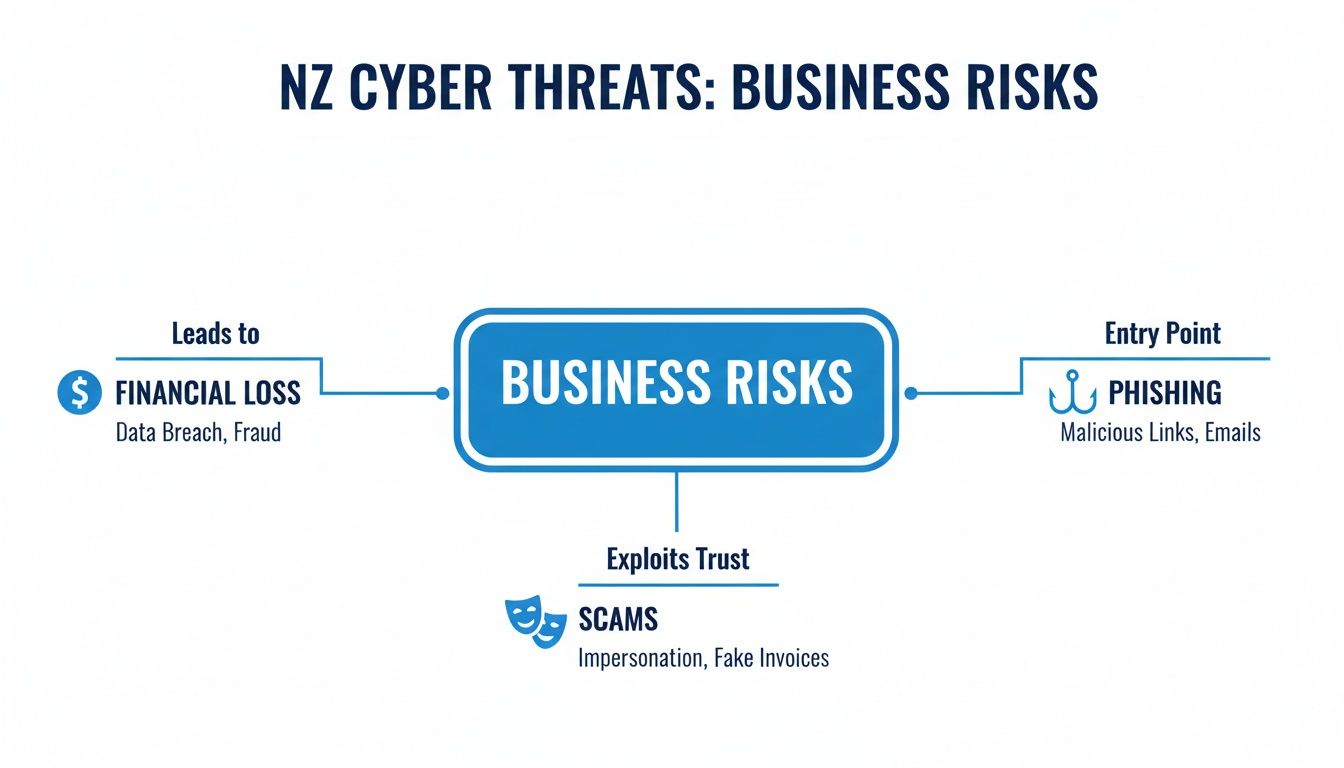
It’s a stark reminder that even seemingly simple threats like a convincing phishing email can lead directly to financial loss, which is precisely why a multi-faceted defence strategy is non-negotiable.
The Five Key Pillars
A really robust security strategy can be organised around five central pillars. Each one tackles a distinct area of corporate security, but they all work together to create a complete defensive system.
Risk Assessment and Governance: This is your starting point. It’s all about figuring out what your most critical assets are, understanding the threats they face, and setting clear policies and responsibilities for who manages those risks.
Technical Controls: These are the actual technology safeguards you put in place. This pillar covers the nuts and bolts—essentials like firewalls, multi-factor authentication (MFA), and endpoint protection software designed to block and detect threats.
Organisational Controls: Security isn’t just an IT problem; it’s a people and process challenge. This pillar focuses on building a security-aware culture across the entire business through things like staff training and well-defined internal procedures.
Incident Response and Recovery: Let's be realistic—despite your best efforts, an incident can still happen. This pillar ensures you have a tested plan to detect, contain, and recover from an attack, minimising disruption and getting you back on your feet quickly.
Compliance and Audit: This pillar deals with meeting your legal and regulatory duties, like those under the NZ Privacy Act, and also managing the risks that come from third-party vendors. After all, your security is only as strong as your entire supply chain.
To make this clearer, here’s a breakdown of how these pillars fit together.
Key Pillars of Business Cyber Security
| Security Pillar | Primary Focus | Example Activities |
|---|---|---|
| Risk & Governance | Establishing the "why" and "how" of your security programme. | Identifying critical business data, developing a security policy, assigning roles like a CISO or security manager. |
| Technical Controls | Implementing technology to prevent and detect threats. | Deploying antivirus, setting up a firewall, enforcing MFA, encrypting sensitive data. |
| Organisational Controls | Embedding security into business culture and processes. | Conducting regular staff security awareness training, creating an acceptable use policy, background checks for key staff. |
| Incident Response | Preparing for, and responding to, a security breach. | Creating an incident response plan, running tabletop exercises, having a communications plan ready. |
| Compliance & Audit | Ensuring adherence to laws, regulations, and standards. | Conducting a Privacy Act audit, performing due diligence on new suppliers, preparing for ISO 27001 certification. |
Each of these pillars is essential. Neglecting one area can easily undermine all the hard work you’ve put into the others, leaving you exposed. A balanced approach is always the best path forward.
How to Assess and Manage Your Cyber Security Risks
Getting your company’s cyber security right starts with knowing exactly what you need to protect and what you’re up against. A risk assessment isn't just another IT job to tick off a list; it’s a fundamental business process that shines a light on where your time and money will make the biggest difference. It’s all about getting on the front foot instead of waiting for a disaster to force your hand.
Essentially, the process is a methodical way of identifying, analysing, and evaluating threats to your business operations. This allows you to make smart, informed decisions on how to handle those risks, making sure your security spend actually supports your business goals.
Identify Your Most Critical Assets
You can't protect what you don't know you have. Before you do anything else, you need a clear picture of your most valuable assets. And we’re not just talking about physical gear like servers and laptops; we mean the data and systems that are the lifeblood of your business.
Start by making a list of everything that, if it were compromised, would seriously hurt your business.
- Sensitive Data: This is the obvious one. It includes customer details, staff records, financial data, and your unique intellectual property.
- Critical Systems: Think about the software and platforms you simply can't operate without. This could be your accounting package, CRM system, or the applications that run your production line.
- Key Personnel: Don't forget the people. Staff with high-level access or specialised knowledge are assets, and their security needs to be part of your plan.
For instance, a media studio’s crown jewels would likely be its client project files and high-powered rendering servers. In contrast, a financial advisory firm would be laser-focused on protecting its client investment data and secure communication channels.
Pinpoint Threats and Evaluate Vulnerabilities
Once you’ve mapped out what you're protecting, the next move is to figure out the potential threats and the weak spots they could exploit. A threat is any potential danger out there, like a ransomware attack. A vulnerability is a weakness in your own setup, like out-of-date software or staff who haven't been trained to spot a phishing email.
Understanding how assets, threats, and vulnerabilities connect is the bedrock of any solid risk management programme. It helps you shift from a reactive, firefighting mode to proactively preventing problems from happening in the first place.
You need to consider threats from both the outside and the inside. An external threat might be a sophisticated phishing campaign aimed at your accounts team. An internal one could be as simple as an employee accidentally deleting a crucial folder because the access permissions weren't set up correctly. By thinking through these scenarios, you can prioritise which gaps to plug first, like locking down access to those sensitive financial folders.
Establish Clear Governance and Policies
Finally, managing risk isn't a one-and-done project; it’s a continuous part of running the business. This is where good governance comes in—defining who is responsible for security and setting the ground rules. When you assign specific roles, you create accountability.
Your governance framework is also where you develop and enforce your security policies. These are the formal documents that tell everyone how to act, such as an Acceptable Use Policy for company devices or a Password Management Policy. This structured approach takes what you've learned from your risk assessment and turns it into real, repeatable actions that make your entire company more secure.
Implementing Essential Technical Security Controls
Once you’ve mapped out your risks, it’s time to put the right technology in place to defend your business. Technical controls are the practical tools and systems that create the backbone of your company's cyber security. Think of them as the digital locks, alarms, and gates that actively prevent, detect, and deal with threats aimed at your network and devices.
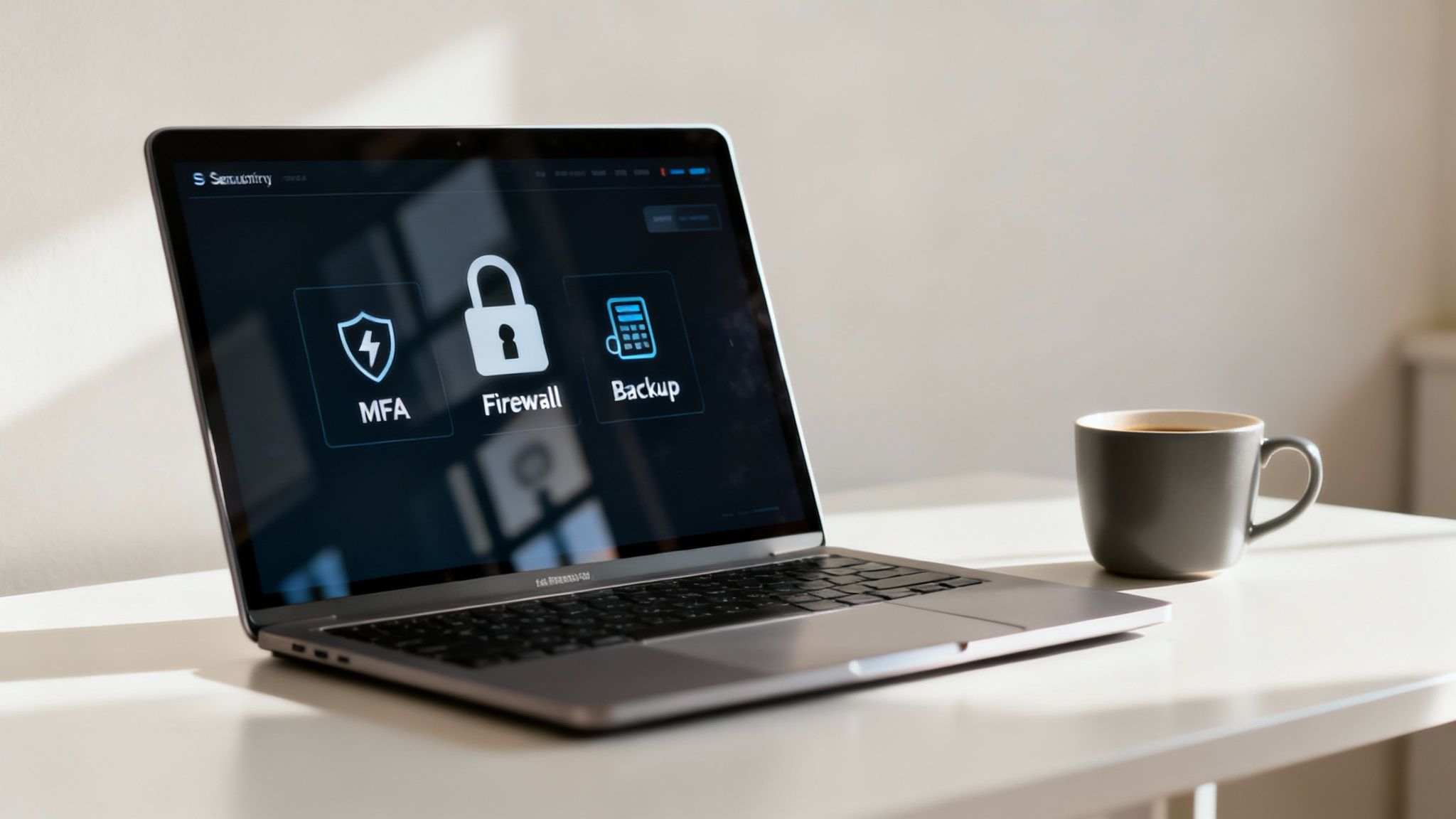
Getting these controls right is non-negotiable. Recent findings on New Zealand’s cyber landscape revealed that over half of SMEs reported at least one cyber threat, with many missing essentials like multi-factor authentication (MFA) and reliable backups. Breaches were often fuelled by basic flaws, including unpatched systems and reused passwords. You can see more insights about these growing cyber threats in a national report.
Activate Multi-Factor Authentication Everywhere
If there’s one single control you should enable, it’s Multi-Factor Authentication (MFA). It works by asking users for two or more pieces of evidence—or verification factors—to access an account. This is usually a password plus a temporary code from their phone.
Why It Matters: Even if a cybercriminal manages to steal a password, they’re stopped dead in their tracks without that second factor. This simple step blocks an incredible 99.9% of automated cyber attacks. You need to enforce it on all your critical applications, especially email, cloud services, and any financial software.
Configure Firewalls and Endpoint Protection
A firewall is like a digital gatekeeper for your network. It stands guard, monitoring all incoming and outgoing traffic and deciding what to let through based on a set of security rules. It’s your first line of defence against intruders trying to get in from the outside.
But a firewall isn't enough on its own. It needs to be paired with Endpoint Detection and Response (EDR). EDR tools are installed on individual devices—the "endpoints" like laptops and servers. They go far beyond traditional antivirus by actively hunting for suspicious behaviour and giving you the tools to investigate and shut down threats that make it past the perimeter.
An EDR solution is like having a security camera and a guard inside your building, not just at the front door. It can spot unusual activity that a firewall might miss, like a legitimate-looking program suddenly trying to encrypt all your files.
Maintain a Strict Patch Management Schedule
Software vulnerabilities are one of the most common ways attackers get in. Patch management is simply the process of regularly applying updates to your software and systems to close these security holes as they're discovered.
A disciplined approach here is crucial.
- Identify all systems: Keep an up-to-date inventory of all the software and hardware on your network.
- Prioritise critical updates: Focus on patching vulnerabilities in internet-facing systems and critical software first.
- Automate where possible: Use tools that can automate scanning for and deploying patches. This ensures nothing gets missed.
Ignoring updates is like leaving a window wide open for a burglar. Regularly testing your own defences is the best way to find these gaps before someone else does. You can learn more about how penetration testing identifies system vulnerabilities before attackers get the chance.
Implement a Secure Data Backup Strategy
If the worst happens and you’re hit with a ransomware attack, your backups are your last line of defence. A solid backup strategy means you can restore your data and get back to business without ever considering paying a ransom.
The gold standard here is the 3-2-1 rule:
- Keep at least three copies of your data.
- Store them on two different types of media.
- Have at least one copy stored completely off-site (for example, in the cloud).
And remember to test your backups regularly to make sure you can actually restore them. An untested backup gives a false sense of security and is completely useless in a real crisis.
Building a Human Firewall Through Organisational Controls
All the best technical tools in the world won’t save you if they're used in a vacuum. Time and time again, the most overlooked element in a company's cyber security is the human one. Your team, when given the right knowledge and clear guidelines, can go from being your biggest vulnerability to your strongest line of defence. It’s what we in the industry call the human firewall.

This kind of shift doesn't just happen on its own. It's built deliberately through organisational controls—the policies, procedures, and ongoing training that shape how your people interact with company data and systems. These controls are what weave security into the fabric of your company culture, making it a shared responsibility, not just another problem for the IT department.
Cultivate a Security-Conscious Culture
The very foundation of your human firewall is awareness. To get there, you need regular, engaging training that keeps security at the forefront of everyone's mind and gives your team the skills to spot threats in the wild.
This isn't about a once-a-year, tick-box exercise. The training needs to be practical.
- Phishing Simulations: Get into the habit of sending simulated phishing emails to your staff. It’s a safe, effective way to give them real-world practice in spotting malicious messages and lets you measure how well your training is sinking in.
- Secure Data Handling: Show your people how to handle sensitive information properly. This includes knowing when to use encryption and how to share files securely with clients or partners, steering clear of those risky consumer-grade apps.
- Incident Reporting: Establish a simple, blame-free process for reporting anything that seems suspicious. The goal here is to encourage staff to raise a flag immediately, not to punish them for making a mistake.
A culture where someone feels comfortable saying, "I think I might have clicked on something I shouldn't have," is infinitely more secure than one where they hide it out of fear.
Develop and Enforce Essential Policies
Clear, well-defined policies create the framework for consistent security practices across the entire business. They remove ambiguity, set clear expectations, and define the rules for using company technology and data.
If you’re just starting out, focus on these three core policies:
- Acceptable Use Policy (AUP): This is your rulebook. It outlines exactly what staff can and can't do on company networks and devices.
- Password Management Policy: Make strong, unique passwords mandatory and get everyone using a password manager. It’s a non-negotiable basic.
- Secure Remote Work Policy: Define the security requirements for anyone working from home or on the go. This should cover everything from secure Wi-Fi use to device protection.
By combining consistent, practical training with clear and enforceable policies, you give your team the power to become an active, effective part of your overall security strategy.
Navigating Compliance and Managing Third-Party Risk
A truly comprehensive cyber security strategy looks beyond your own four walls. It has to account for external obligations, and for New Zealand businesses, that means meeting specific regulatory requirements while carefully managing the risks that come with your partners and suppliers. Getting this wrong can lead to hefty penalties and leave you vulnerable to threats you don't directly control.
Compliance isn't just about ticking boxes to avoid fines; it's a solid framework for good governance that builds genuine trust with your customers. The cornerstone of this for any Kiwi business is the Privacy Act 2020, which lays out the rules for how you must handle personal information. Knowing your obligations here isn't optional—it's fundamental.
Understanding Your Supply Chain Risks
Your company’s security is only ever as strong as its weakest link. More often than you’d think, that weak link is a third-party vendor. Every time you bring on a new piece of software or share data with a partner, you’re effectively inheriting their security posture, for better or for worse.
Recent data paints a stark picture of this exact challenge. A 2025 report on NZ businesses found that a staggering 33% of incidents came from unsecured websites or third-party breaches, with another 22% caused by simple cloud misconfigurations. You can dig deeper into these supply chain and cloud security findings.
This really shines a spotlight on a critical, and often overlooked, area of corporate cyber security. You absolutely have to do your due diligence before onboarding any new vendor.
- Review their security practices: Don't be afraid to ask for their security policies, certifications, or recent audit results.
- Define data handling in contracts: Get specific in your legal agreements about how your data can be used, where it’s stored, and how it’s protected.
- Limit unnecessary access: Always grant vendors the absolute minimum level of access they need to do their job—nothing more.
Navigating Global and Industry-Specific Regulations
Things get even more complicated for companies that operate internationally or handle specialised kinds of data. Suddenly, you have to navigate a complex web of different regulatory requirements. For instance, if you process data from European citizens, even from here in New Zealand, having a practical AI GDPR compliance guide becomes an essential tool for understanding your responsibilities.
Juggling these multiple layers of compliance and third-party risk can feel like a full-time job, especially for small to medium-sized businesses. For many, bringing in external experts is the most sensible and effective path forward. Our guide to managed IT services for New Zealand businesses breaks down how specialised support can help you maintain strong governance across your entire business ecosystem.
Creating Your Incident Response and Recovery Plan

Let’s be realistic: even with the best defences in the world, a security incident can still happen. When it does, having a swift, organised response is what separates a minor hiccup from a full-blown business crisis. This is where an Incident Response (IR) plan becomes one of the most vital parts of your company's cyber security strategy.
An IR plan is essentially a playbook—a detailed, documented set of instructions for detecting, responding to, and recovering from security breaches. Its goal is simple: minimise the damage, slash recovery time, and stop it from happening again. Trying to figure out what to do in the middle of an attack is a recipe for chaos and very costly mistakes.
Key Phases of an Effective Incident Response Plan
A truly solid IR plan is built around several distinct phases. Each stage has a clear objective, guiding your team from the moment an alert pops up right through to getting back to business as usual. It's a pre-agreed script for a crisis.
A core part of any grown-up cyber security strategy is preparing for when, not if, an incident occurs. For a deeper dive, there are excellent resources on developing a robust security incident response plan.
This structured approach makes sure every action taken under pressure is decisive, consistent, and effective. It also happens to be a cornerstone of your overall operational resilience.
The core phases break down like this:
- Preparation: This is all the work you do before an incident. It involves setting up your response team, defining everyone’s roles, and making sure all the necessary tools and communication channels are ready to go.
- Detection & Analysis: How will you even know an incident is happening? This phase is about monitoring your systems for anything unusual and then quickly figuring out the scope and severity of a potential breach.
- Containment: Once an incident is confirmed, the immediate priority is to stop it from spreading. This might mean yanking affected systems off the network to limit the blast radius.
- Eradication: Now you get to the root of the problem. This step involves digging in, finding out how the threat got in, and completely removing it from your environment—think wiping malware from every last infected device.
- Recovery: The final push is about safely restoring systems and data from clean backups to get the business running again. Critically, it’s also when you hold a post-mortem to learn from what happened.
This plan doesn't exist in a vacuum; it's tightly woven into your wider operational continuity. You can explore our detailed guide to business continuity planning for resilient Kiwi SMEs to see how these two crucial functions work hand-in-glove to protect your organisation.
Frequently Asked Questions About Cyber Security
As a business owner, you've likely got a lot of questions about cyber security. It’s a complex area, and it's easy to feel overwhelmed. Here are some straightforward answers to the questions we hear most often from NZ businesses.
How Much Should My Company Spend On Cyber Security?
There's no single magic number, unfortunately. Your spending will really depend on your industry, business size, and the specific risks you face. However, a good starting point for SMEs is to allocate between 3% and 6% of your total IT budget to security.
A far better approach, though, is to let your risk assessment guide your budget. Instead of chasing a generic percentage, focus your spending on the controls that will actually protect you from your biggest and most probable threats. It's about smart investment, not just ticking a box.
Is My Small Business Really A Target For Cyber Attacks?
Yes, absolutely. The old idea that attackers only bother with big corporations is a dangerous myth. Cybercriminals often use automated tools to scan thousands of businesses at once, looking for common, easy-to-exploit vulnerabilities. This makes SMEs low-hanging fruit.
Most of these attacks aren't personal; they’re just opportunistic. A single outdated application or one weak password can be all it takes to make your business the easiest target on the block.
Realising that size offers no protection is the first step toward building a realistic security posture. Every business with valuable data is a target.
Can I Manage Cyber Security Myself Or Do I Need An Expert?
You can certainly handle the basics in-house. Things like encouraging strong passwords and making sure multi-factor authentication (MFA) is switched on are great first steps. But truly effective cyber security requires specialised, up-to-date expertise. The threats and the technology needed to stop them are changing constantly.
For most small and medium-sized businesses, partnering with a managed security service provider (MSSP) makes the most sense. It's the most cost-effective way to get access to enterprise-grade tools and a dedicated team of experts, without the massive overhead of hiring your own internal security team. It ensures your defences are always current and properly managed.
Ready to build a resilient security strategy without the guesswork? The expert team at Wisely delivers managed IT and robust cyber security solutions designed for NZ businesses. We help you identify risks, implement the right controls, and ensure your company is protected. Secure your business with Wisely today.