For Kiwi businesses, Microsoft 365 New Zealand has pretty much become the backbone of modern work. It's not just about having Word and Excel anymore; it’s about having a single, connected platform that brings together your essential apps with cloud services like Teams and OneDrive.
Why Microsoft 365 Is the Go-To for Kiwi Businesses

The big move to the cloud isn't just a fleeting trend. For small and medium businesses in New Zealand, it's a smart, strategic decision that fuels better teamwork and efficiency. Think of Microsoft 365 less as a software bundle and more as a complete ecosystem that helps your business grow and adapt, no matter where your team is working.
The numbers back this up. Microsoft New Zealand Limited recently saw its revenue jump to over $1.2 billion, which is an 11.7% increase on the previous year. That’s a massive vote of confidence from local businesses who are clearly seeing the value.
Key Drivers for Adoption
So, what’s making it such a compelling choice for Kiwi companies? It usually boils down to a few key benefits that solve real-world problems.
- Unified Collaboration: With tools like Teams and SharePoint, communication and file sharing are all in one place. It means everyone is on the same page, whether they're at the office in Auckland or working from a bach in the Coromandel.
- Enhanced Security: We all know how critical data security is. Plans like Business Premium come packed with advanced threat protection and device management, giving you peace of mind that your company’s sensitive information is properly safeguarded.
- Scalability and Flexibility: The subscription model is a game-changer. You can add or remove users as your team changes and get access to new features as they roll out, all without a hefty upfront investment in hardware or software.
If you want to get into the nitty-gritty of one of the most popular plans, have a read of our ultimate guide to Microsoft 365 Business Premium. It’s a great starting point for any Kiwi business looking to get its tech stack sorted.
Keeping Your Data Safe with Local Data Residency
For any New Zealand business, knowing where your digital information lives is a big deal. It's not just a technical footnote—it's a fundamental issue of trust and legal responsibility. The game changed when Microsoft opened its local data centres in Auckland, a huge win for Kiwi companies on Microsoft 365.
This local presence means you can finally ensure your core customer data is stored right here on New Zealand soil. This is what we call data residency, and it’s a critical part of data sovereignty. In plain English, your sensitive information—client records, financial documents, you name it—doesn't need to leave the country, giving you much tighter control.
Why Onshore Data Matters
Storing your data locally isn't just a "nice-to-have"; it has some very real, tangible benefits, especially when it comes to navigating your legal and regulatory obligations.
- NZ Privacy Act Compliance: Keeping data within New Zealand makes demonstrating compliance with the Privacy Act 2020 much more straightforward. You can be confident your data handling lines up perfectly with local privacy principles.
- Reduced Latency: While not strictly a security benefit, having data centres just down the road means faster access to your files and services. It’s a small thing that makes a big difference to your team's day-to-day productivity.
For businesses in sectors like healthcare, finance, or legal services, keeping data onshore isn't optional—it's often non-negotiable. It provides that essential layer of assurance to your clients that their personal information is managed under New Zealand’s robust legal framework.
Getting your Microsoft 365 tenant configured to use these local facilities properly turns a thorny compliance headache into a simple strategic advantage. To get a better handle on the local infrastructure available, it's worth checking out this complete guide to data centres in NZ. It's all about giving you peace of mind that your data is not only secure but also fully compliant.
A Smart Migration Plan For a Seamless Transition
Moving your business over to Microsoft 365 is a big project, but with the right game plan, it doesn’t have to be a headache. From our experience, a truly seamless transition is all about the prep work you do long before a single email gets moved. It starts with a solid audit of your current setup and getting key people on board who can champion the change within your teams.
This early planning stage is your chance to dodge the most common migration mistakes. We often see businesses simply lift and shift everything, including messy, outdated data. A far better approach is to treat this as a digital clean-up—a perfect opportunity to archive old files and get your essential data properly organised.
Once your data is on its way, you can be confident it's staying right here in New Zealand. This is how your data travels securely from your business directly to Microsoft's local Auckland data centres.
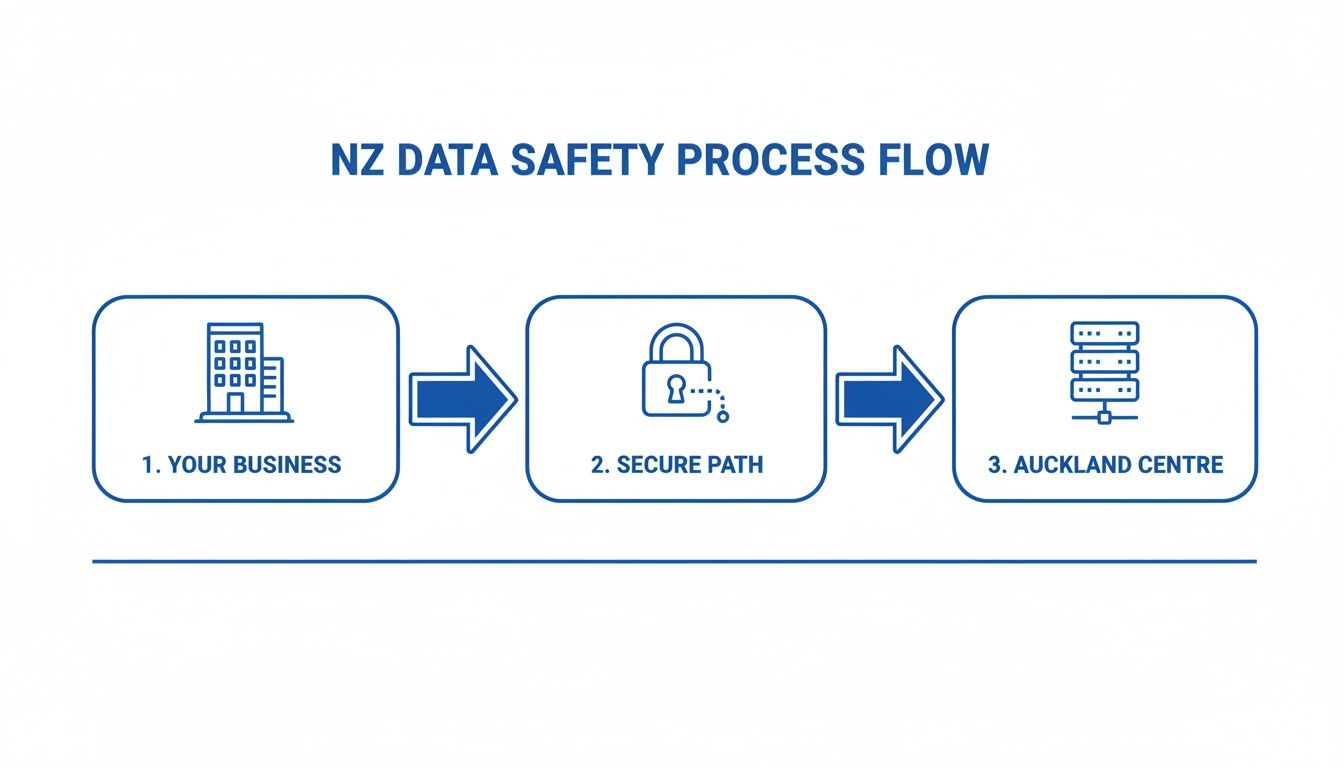
This diagram shows the secure, dedicated path your information follows, keeping it within New Zealand’s data residency boundaries and ensuring you meet your compliance obligations.
Executing a Smooth Go-Live
With your data tidied up, the next focus is your team. This part is non-negotiable: you need clear communication and proper training. Make sure everyone knows what new tools they’ll be using and the timeline for the switch. For larger companies or those with more complex IT environments, a detailed technical guide is invaluable. This enterprise Microsoft 365 migration playbook is a great resource if you’re looking at a major re-architecture of your digital workspace.
The best migrations we've managed all have one thing in common: strong post-launch support. Those first few days are absolutely crucial for answering questions and helping new work habits stick.
Finally, remember that the migration isn't the finish line. It's really just the start of figuring out how to get the most out of your new Microsoft 365 New Zealand setup. Having a partner to provide ongoing help ensures you're maximising the return on your investment. You can find out more about our tailored 365 Assistance and how we help businesses thrive.
Connecting Your Tools for Maximum Productivity
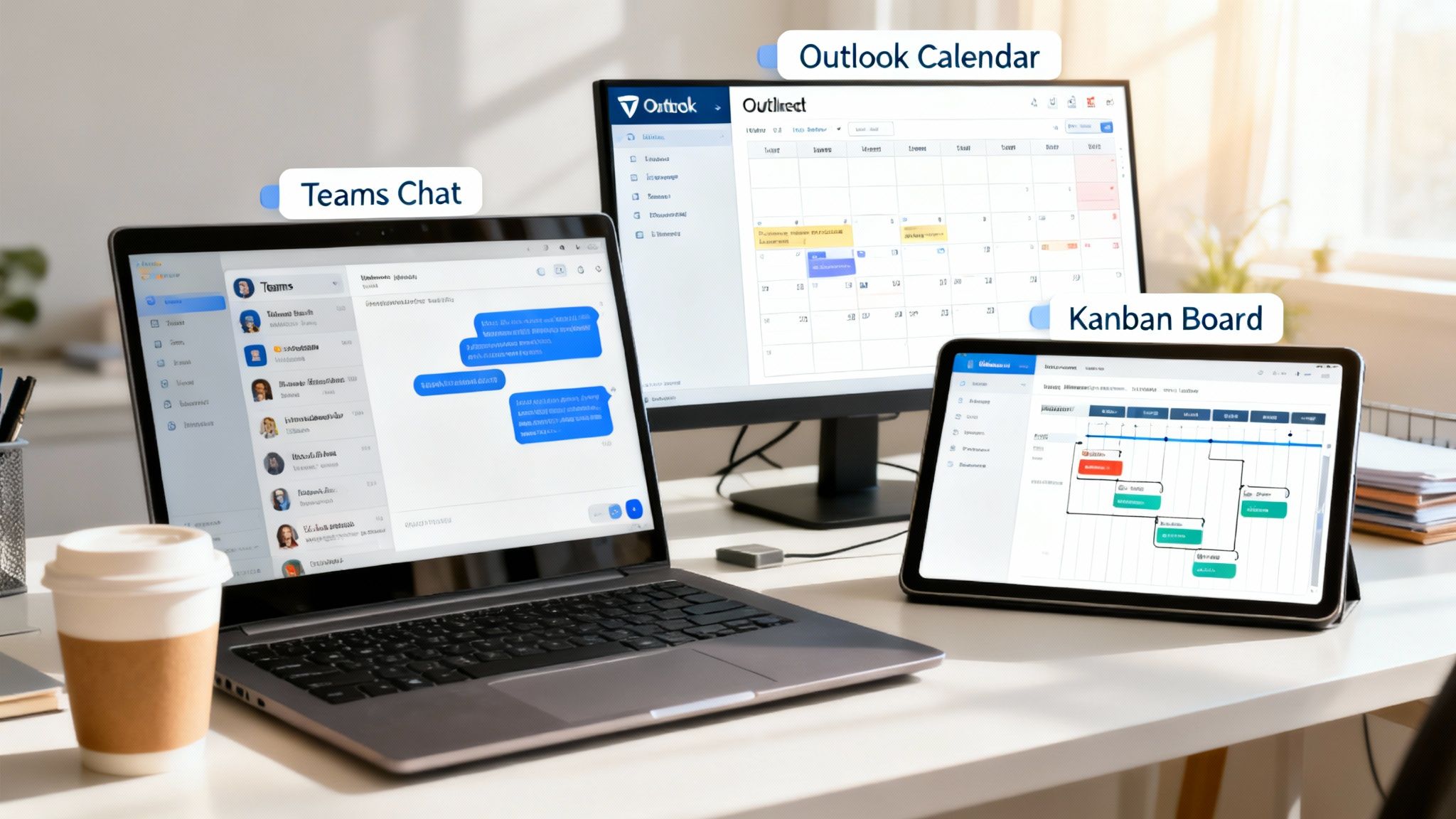
The real magic of Microsoft 365 New Zealand isn't just in the individual apps. It’s what happens when you start connecting them to the other tools your team relies on every day. This is how you break down those frustrating information silos and create a single, unified system for your business.
Think about it. You could link Microsoft Teams and Outlook with a work management platform like monday.com. Suddenly, an email from a client can automatically trigger a new task for your project team, keeping all the related communication in one spot. No more digging through inboxes or doubling up on work.
Building Custom Automations
It gets even better when you dive into the Power Platform. This lets you build custom automations and workflows without needing a developer on standby. These aren't massive, complex projects; they're small, smart workflows that can shave hours of repetitive manual work off your team's plate each week.
And for businesses ready to take a bigger leap, you can integrate powerful solutions like Microsoft Dynamics 365, bringing your customer relationship management (CRM) and enterprise resource planning (ERP) under one roof.
We've seen the impact of smart integration firsthand here in New Zealand. One NZ, for instance, deployed Microsoft Fabric on top of Power BI in less than two weeks. The result? They cut their customer response times by nearly 50%. You can read more about their integration success here.
Ultimately, it’s all about making your technology stack work together, seamlessly.
Securing Your Business in the Cloud
Moving your business into the cloud with Microsoft 365 New Zealand means you have to get serious about security. The out-of-the-box settings are a decent starting point, but let’s be honest, they’re just that—a start. Real security comes from a proactive approach that’s actually tailored to how your Kiwi business works day-to-day.
It’s all about putting smart, effective measures in place to protect your company’s digital assets. This isn't about making life difficult for your team; it’s about making it near impossible for unauthorised actors to get in. A simple, non-negotiable first step? Switch on Multi-Factor Authentication (MFA) for absolutely everyone in your organisation.
Core Security Policies to Implement
Once you’ve got MFA sorted, the next step is to configure specific access policies. You’ll also want to set up Data Loss Prevention (DLP) rules. These are great because they automatically spot and protect sensitive info, stopping someone from accidentally sharing a spreadsheet with client details or financial data.
For many Kiwi businesses, Microsoft 365 is the backbone for 87.5% of their productivity tools, making these security layers absolutely essential for protecting those deeply integrated workflows. You can discover more insights on M365's role in business productivity to see just how central it is.
Think of your security settings as a living policy. As your business grows and your team changes, your access rules and security configurations should be reviewed and updated to match.
Answering Your Microsoft 365 Questions
When Kiwi businesses start digging into Microsoft 365, a few common questions always come up. We hear them all the time, so let's get you some straight answers based on our experience.
First up, pricing. In New Zealand, Microsoft 365 subscriptions are typically billed monthly or annually per user, and crucially, you're paying in New Zealand Dollars (NZD). This means no nasty surprises when the exchange rate moves. Keep in mind that the final price can vary a bit depending on your IT partner, especially if they bundle in their own support and management services.
Is It Cheaper to Buy Directly from Microsoft?
While you can go direct to Microsoft, it's rarely the best value. A good local IT partner does so much more than just resell a licence. They're there for the crucial setup, the often-tricky migration, and the ongoing support and security management that keeps your business running smoothly.
Think of them as an extension of your own team. They'll make sure you're actually getting the most out of your investment, rather than leaving you to piece it all together yourself.
Choosing the right partner isn't about the sticker price; it's about their capability. Look for a provider with proven experience in Microsoft 365 New Zealand rollouts, a solid grasp of local compliance, and the ability to give you strategic advice that actually helps your business.
Can I Mix and Match Different Plans?
Absolutely. In fact, this is one of the smartest ways to manage your costs without compromising on capability.
It's a common scenario: you might have your office-based admin team on a Business Standard plan, which is perfect for their needs. But your senior leadership or key remote staff could benefit from the extra security features in the Business Premium plan. A skilled IT partner can help you map out exactly who needs what, creating a licence mix that's both cost-effective and perfectly suited to your organisation.
Ready to get the right advice and support for your Microsoft 365 journey? Wisely designs, implements, and supports solutions that connect your people, processes, and technology. Learn how we can help your business thrive.