Spreadsheets all over the place, never-ending email chains, and a jumble of disconnected apps—sound familiar? For a lot of businesses in Australia and New Zealand, this is just a normal day at the office, and it creates absolute operational chaos. This is where monday.com comes in, acting as a central Work Operating System (Work OS) that pulls your people, processes, and data into one cohesive workspace.
Unifying Your Team with a Central Work OS

Are your teams finding it tough to stay on the same page while juggling half a dozen different tools? It’s a classic problem. Information gets siloed, people end up duplicating work, and nobody has a clear picture of where projects actually stand. Important updates get buried in overflowing inboxes, and figuring out progress means manually stitching together data from different sources.
This kind of fragmentation doesn't just slow things down; it actively gets in the way of making smart, strategic decisions. When your data is scattered everywhere, leadership can't get a real-time view of business performance, making it nearly impossible to spot bottlenecks or jump on opportunities when they appear.
Creating a Single Source of Truth
At its heart, a Work OS like monday.com is all about establishing a single source of truth. By bringing all your workflows, communications, and data onto one platform, everyone from the C-suite to the frontline staff is working from the exact same information.
The benefits are immediate and obvious:
- Complete Visibility: You get a crystal-clear, real-time overview of every project, task, and deadline across the entire business.
- Improved Accountability: Every task and subtask has a clear owner, so everyone knows exactly what they’re responsible for and when it’s due.
- Data-Driven Decisions: Dashboards and reports are always accurate and up-to-the-minute, empowering you to make smarter decisions, faster.
- Enhanced Teamwork: It fosters a more connected work environment where teams can easily share files, give feedback, and see how their work impacts others.
By bringing everyone together with a central Work OS, you get a significant lift in overall productivity and collaboration and projects just get done more efficiently. You move from constantly putting out fires to proactively executing on your strategy.
Your Local Partner for Success
For businesses across Australia and New Zealand, just buying a new piece of software is never enough to guarantee results. To see real, measurable gains in productivity, you need expert implementation, team training, and ongoing optimisation that’s built around your specific business needs.
Wisely is the expert local partner dedicated to helping Australian and NZ businesses implement monday.com effectively. Our goal is to ensure you unlock a truly connected workflow and achieve a significant return on your investment. We guide you through every step, transforming operational chaos into streamlined success.
How monday.com Actually Works
To really get your head around monday.com, it’s best not to think of it as just another piece of software. A better analogy is a box of digital Lego blocks. Each piece is simple on its own, but you can snap them together in countless ways to build exactly what your business needs—whether that’s a simple to-do list or a complex dashboard tracking projects across multiple departments. That flexibility is its secret sauce.
The whole platform is built on just a few core components that work in harmony. Once you understand these basics, you’ll see how you can finally move away from scattered spreadsheets and into a single, organised space where everything connects. This is how you get clarity on the big picture without losing sight of the tiny details.
The Building Blocks: Boards, Items, and Columns
The foundation of any workflow in monday.com is the Board. Think of a Board as a supercharged digital whiteboard where you map out a specific project, process, or team’s work. You might have a Board for a new marketing campaign, another for tracking sales leads, and a third for managing employee onboarding at your Auckland office.
Inside each Board, you have Items. An Item is just a single row on your Board, and it usually represents an individual task, a client, a lead—any single unit of work you need to keep an eye on. For that marketing campaign Board, an Item could be "Design Social Media Graphics" or "Write Blog Post."
Finally, Columns are what bring your Items to life by adding all the important context and data. You can customise Columns for pretty much anything, but here are the essentials:
- Status: Track progress with clear, visual labels like "Working on it," "Stuck," or "Done."
- Person: Assign a team member to own an Item so everyone knows who’s responsible.
- Date: Set deadlines and map out timelines for every task.
- Numbers: Track budgets, hours spent, or any other numbers that matter.
- Text: Add notes, links, or other crucial details.
By combining Boards, Items, and Columns, you create a visual, intuitive map of any workflow. Your team gets instant clarity on who is doing what, and by when.
Where the Magic Happens: Automations and Integrations
Once you’ve got your basic structure sorted, you can unleash the real power of monday.com with Automations and Integrations. This is where you graduate from simply organising work to actively making it faster and smarter.
Automations are simple "if this, then that" rules you can build in seconds, no coding required. They’re designed to eliminate the repetitive, manual tasks that drain your team's time. For example, you could set up an automation that pings a manager the moment a task’s status changes to "Done." Or one that automatically moves a sales lead into the next stage of your pipeline when their status is updated to "Contacted." These small efficiencies stack up, saving countless hours and cutting down on human error.
Integrations take this a step further by connecting monday.com to the other tools your business relies on every day—think Xero, Slack, Gmail, or HubSpot. When your accounting software, email, and communication apps all talk to each other, you create a single source of truth. Data flows where it needs to, and your team stops wasting time switching between tabs.
"By consolidating tools and processes into one system, you eliminate the friction that slows teams down. When information flows automatically, you create a powerful engine for productivity, where everyone is aligned and focused on the same strategic goals."
This is exactly what helped one of Australasia's largest companies, The Ray White Group. With over 1,000 franchise offices across Australia and New Zealand, their corporate team was struggling with fragmented tools and operational bottlenecks. By adopting monday.com, they centralised their workflows, saving an incredible 44,000 hours annually and achieving a 22x return on investment. For any Australian or New Zealand business, it’s a powerful example of how a properly implemented Work OS can replace operational drag with real momentum. You can read more about Ray White's success with monday.com.
Solving Real Business Problems, Department by Department
The true measure of any work platform isn’t a flashy feature list; it’s how well it solves the tangible, day-to-day problems your teams face. The real power of monday.com is its chameleon-like ability to adapt. It allows different departments within your Australian or New Zealand business to shape it into the exact tool they need to cut through their specific challenges and hit their targets.
It’s about turning abstract goals into concrete, trackable actions. From untangling chaotic operational workflows to giving project managers a clear bird's-eye view of every moving part, this is where the theory of a "Work OS" becomes practice.
Streamlining Operations and Projects
For operations teams, the constant battle is against inefficiency. Manual processes, disjointed communication, and a lack of visibility create bottlenecks that drag the entire business down. Project managers fight a similar war, trying to keep complex projects on track and on budget when key information is scattered across emails, spreadsheets, and siloed apps.
monday.com tackles these issues head-on by creating a central source of truth for all operational and project work.
- For Operations Teams: You can map out recurring processes, like client onboarding or inventory management, using custom boards. Automations then take over the grunt work—notifying finance when an order is fulfilled or assigning a new task when another is completed—freeing up your people to focus on work that actually requires a human brain.
- For Project Managers: This is about total control. Gantt charts, workload views, and real-time dashboards let you see instantly who is working on what. You can spot potential resource conflicts before they blow up and track project health against milestones and budgets without chasing anyone for updates.
This concept map shows how monday.com's core building blocks—Boards, Items, and Columns—fit together to create the foundation for any workflow.
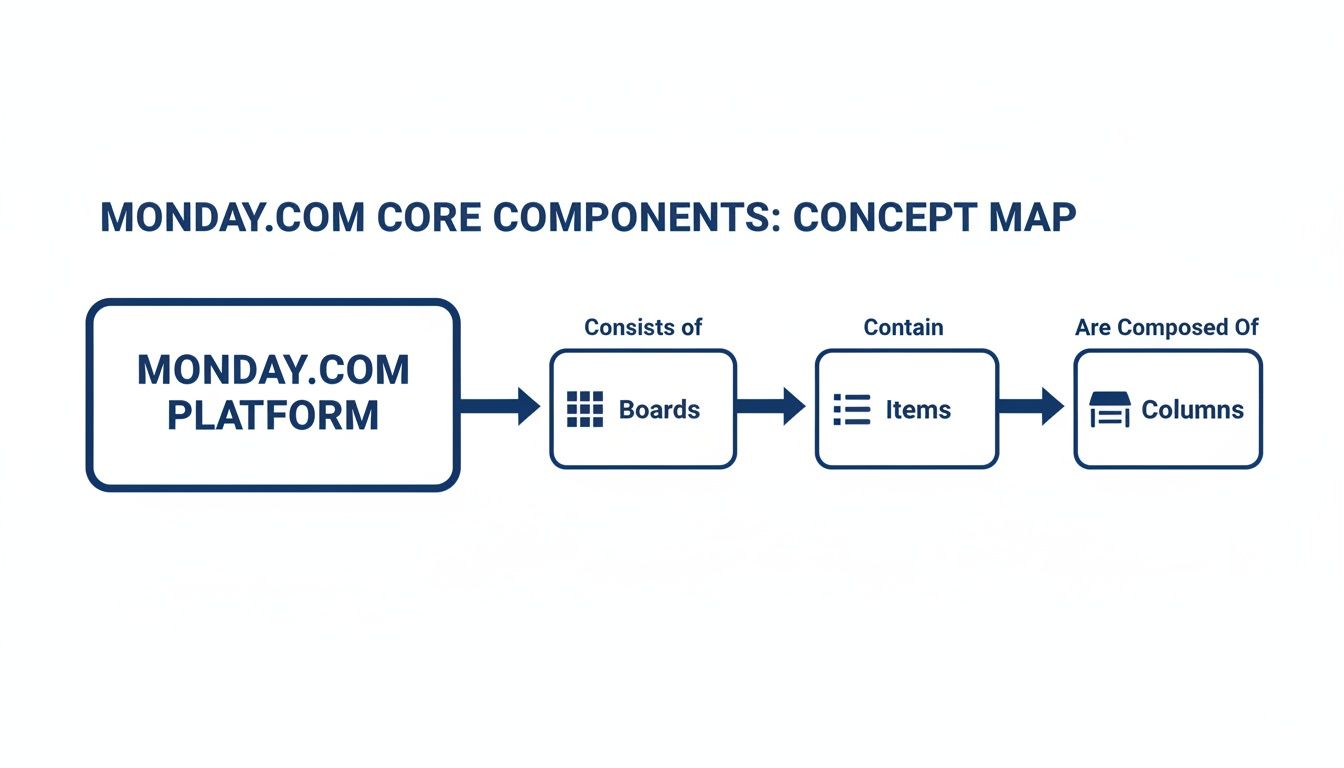
The visual makes it clear: everything starts with a Board, which holds individual Items (like tasks or projects). These items are then given context and data through customisable Columns. It’s a simple, powerful structure.
Building Powerful Sales and Finance Workflows
Sales and finance are the revenue engine of any business, but they often operate in separate worlds. Sales teams need a dynamic way to manage their pipeline, while finance needs clean, accurate data for forecasting and budgeting. When these systems don't talk to each other, you get inaccurate reporting and missed opportunities.
By creating a single, connected workspace, monday.com bridges the gap between sales activity and financial outcomes. It ensures that data flows seamlessly from lead generation to revenue recognition, providing a clear and accurate picture of business performance.
A properly configured monday.com setup completely changes how these teams function. Sales teams can build a powerful, visual CRM pipeline to track every lead from the first touchpoint right through to a closed deal. Each stage is customisable, and automations can handle follow-up reminders and lead assignments, making sure nothing falls through the cracks.
For finance departments in Australia and NZ, this connection is critical. They can use monday.com to manage budgets, track expenses against projects, and oversee procurement requests—all in one place. When the sales pipeline is directly linked to financial forecasts, leaders get real-time visibility into cash flow and revenue projections, enabling far more strategic financial planning.
Coordinating Media and Creative Production
Media and production teams run on creativity, but their projects are often incredibly complex. Juggling multiple stakeholders, tight deadlines, and countless digital assets can quickly descend into chaos without a structured system.
monday.com brings the framework needed to manage this creative complexity.
- Creative Request Management: Use forms to standardise creative briefs, capturing all the necessary information upfront so nothing gets missed.
- Visual Production Timelines: Map out every phase of a project—from storyboarding to final delivery—using timeline or calendar views so everyone knows what’s due, when.
- Asset Approvals: Use the built-in proofing tools to centralise feedback and streamline the approval process, finally killing off those confusing, endless email chains.
This versatility is a key reason monday.com has found such a strong foothold among small to mid-sized businesses—a demographic that perfectly mirrors the Australian and New Zealand market. Data shows that 38% of its users are small companies with fewer than 50 employees, and another 42% are medium-sized. This proves its scalability for Australian and NZ SMBs looking to get their workflows in order.
For Aussie and Kiwi finance heads, IT managers, and sales directors, these statistics mean better CRM pipelines, clearer project delivery, and more accurate revenue forecasting. To see more data on these trends, you can explore the full monday.com market insights.
monday.com Use Cases by Department
To bring this all together, it's useful to see exactly how different teams can solve their biggest headaches using the platform. monday.com isn't just a generic project tool; it's a specialist solution for each department's unique challenges.
| Department | Common Challenge | monday.com Solution | Key Benefit |
|---|---|---|---|
| Operations | Inefficient manual processes and lack of visibility into recurring tasks. | Custom workflow boards with automations for task assignments and status updates. | Reduced manual work, fewer bottlenecks, and consistent process execution. |
| Project Management | Scattered information, poor resource allocation, and missed deadlines. | Gantt charts, workload views, and real-time dashboards for a single source of truth. | Improved project visibility, proactive resource management, and on-time delivery. |
| Sales | Leaky sales funnels, poor lead tracking, and lack of follow-up. | A visual CRM pipeline to manage leads, deals, and client communication. | Increased conversion rates, no missed opportunities, and accurate sales forecasting. |
| Finance | Disconnected budget tracking, slow expense approvals, and inaccurate forecasts. | Boards for budget management, expense tracking, and procurement linked to project data. | Real-time financial visibility, faster approval cycles, and data-driven planning. |
| Media & Creative | Chaotic feedback loops, missed approval deadlines, and poor asset management. | Creative request forms, visual production timelines, and integrated proofing tools. | Streamlined creative workflows, faster approvals, and centralised asset control. |
This table illustrates that whether you're trying to fix a broken operational process or build a high-performing sales engine, the platform provides the specific tools needed to drive meaningful improvements.
Integrating Your Tools and Securing Your Workspace
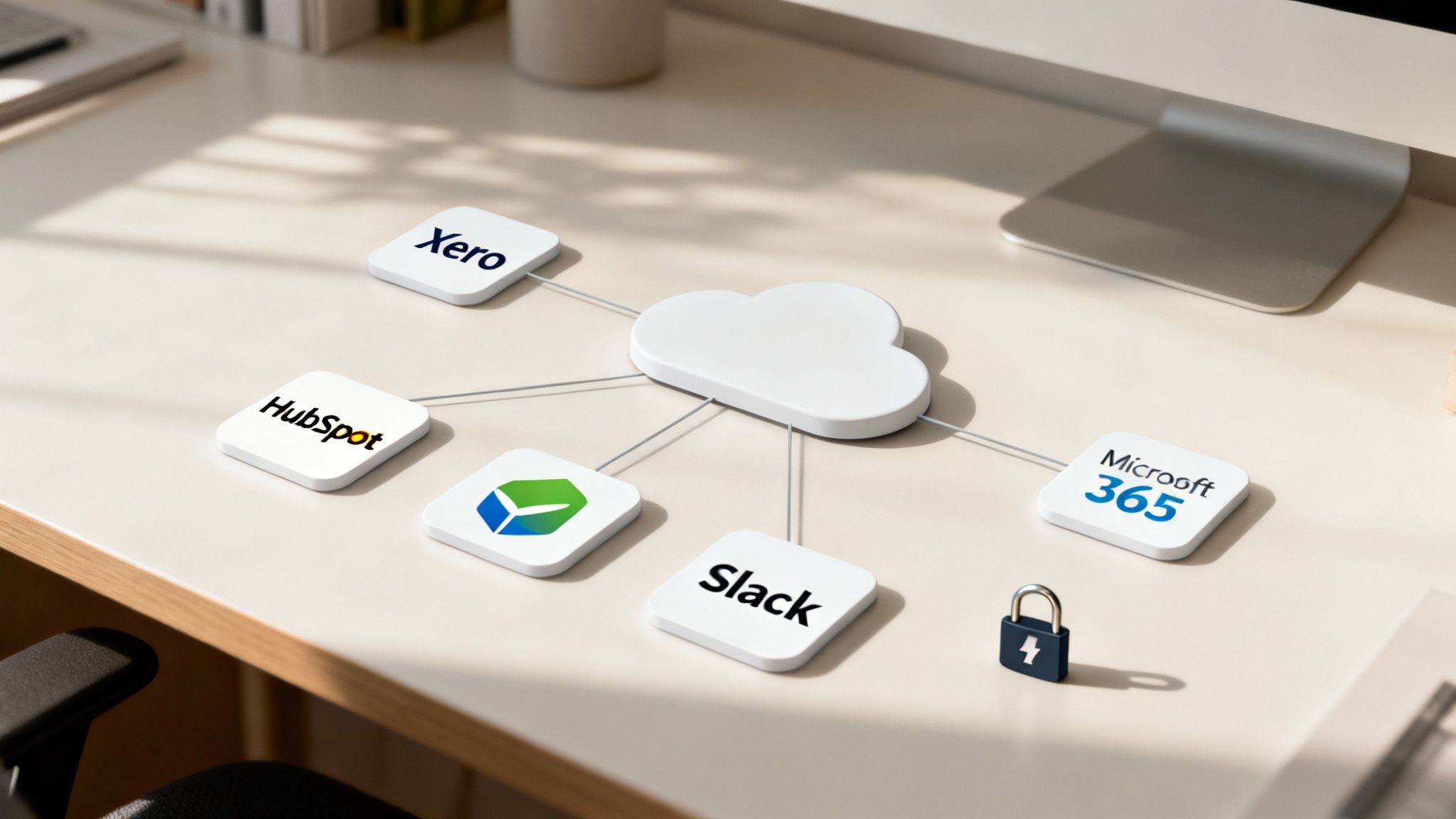
A work platform really only comes into its own when it plugs in neatly with the other tools your team relies on every day. The idea behind monday.com isn't to replace every single app in your tech stack. Instead, it’s designed to be the central nervous system where all your work, data, and communication come together.
By connecting your essential apps, you get rid of that constant, soul-destroying task of flicking between tabs and manually copying information from one place to another. This connectivity turns a messy collection of separate tools into one cohesive, intelligent system. For businesses in Australia and New Zealand, this means forging powerful links between monday.com and local favourites.
Creating a Connected Ecosystem
Think of integrations as digital bridges that let information flow freely between your different software islands. Instead of someone having to remember to update a spreadsheet when a deal is closed in your CRM, an integration can do it for you, instantly. Simple. It ensures everyone is working from the most current data, all the time.
Some of the most powerful integrations we see for Aussie and Kiwi businesses include:
- Xero: Automatically create an invoice or update a client’s record in Xero the moment a project status changes in monday.com. This closes the loop between project delivery and your finance team.
- HubSpot: Sync lead information, update deal stages, and manage client communications without leaving your workspace. It keeps your sales and project teams perfectly in sync.
- Microsoft 365: Connect Outlook and Teams to turn emails and chats into actionable tasks, and sync your calendars to keep everyone’s schedules aligned.
- Slack: Get real-time pings in your Slack channels for task updates, new comments, and approaching deadlines, keeping the entire team in the loop without having to chase for updates.
When you build these connections, you create a single source of truth. It's this unified view that powers smarter, faster decisions right across the business. You can learn more about how Wisely designs bespoke platform integration solutions that fit your unique workflows.
Securing Your Digital Workspace
Naturally, as you start bringing more of your critical business data into one place, security and governance have to be front of mind. Protecting your company’s information and making sure you’re meeting industry standards isn't just a box-ticking exercise; it's a fundamental business responsibility. Thankfully, the monday.com platform is built with serious security features to give you complete peace of mind.
A secure workspace is an efficient workspace. When your team trusts that their data is protected and access is properly managed, they can collaborate with confidence, knowing sensitive information is only seen by those who need to see it.
This is absolutely critical for any business handling sensitive client details or financial information.
Managing Permissions and Compliance
Good data governance starts with controlling who can see and do what inside your workspace. The monday.com platform gives you incredibly granular control over user permissions, letting you manage access at the board, dashboard, and even the individual column level.
This means you have the power to:
- Set User Roles: Define roles like ‘Admin,’ ‘Member,’ or ‘Guest’ to control what they can do across the entire account.
- Control Board Access: Make certain boards private, locking them down to specific teams or individuals to keep confidential projects under wraps.
- Restrict Column Views: Hide sensitive columns—like those containing financial data or personal information—from certain users, even if they can see the rest of the board.
These features make sure that while your workspace encourages transparency, it also enforces the security rules needed to keep your data safe. A partner like Wisely can help you configure these settings to align with industry best practices and specific compliance requirements for Australia and New Zealand, ensuring your workspace is not only powerful but properly secured.
Partnering with Wisely for a Flawless Rollout
Knowing what monday.com can do is one thing. Actually making it deliver those results for your business is another challenge entirely. A successful rollout is so much more than just switching on the software; it’s about strategically weaving the platform into the very fabric of how your teams work and what you want to achieve.
This is where a good partner makes all the difference. For businesses in Australia and New Zealand, working with a local expert like Wisely takes the guesswork out of the entire process, making sure your investment pays dividends from day one. We’re here to bridge the gap between the platform’s powerful features and your unique operational needs.
Your Strategic Roadmap to Success
Jumping into a major platform implementation without a clear map is a sure-fire way to get lost. That’s why we’ve honed a proven plan-build-deliver methodology that guides your monday.com rollout with precision and purpose. This isn’t some rigid, one-size-fits-all template. Think of it as a structured but flexible framework designed to get you to value, faster.
Our process ensures nothing is left to chance:
- Plan: We start by getting to know your business, inside and out. We’ll dive deep into your current workflows, pinpoint the biggest bottlenecks, and work with you to define what a successful outcome actually looks like for your teams. This discovery phase is the bedrock for designing a solution that genuinely fits.
- Build: With a solid plan in hand, we roll up our sleeves and get to work configuring your monday.com workspace. This means building custom boards, setting up clever automations to handle the busywork, and integrating the platform with your other essential tools to create a single, connected business ecosystem.
- Deliver: A great launch involves more than just flicking a switch. We provide hands-on team training, tailored to different roles and skill levels, so everyone feels confident and empowered to use the new system. And our post-go-live support means we’re right there with you to tackle any questions and fine-tune things as your team settles in.
This methodical approach guarantees a smooth transition, drives enthusiastic user adoption, and ensures your monday.com workspace is firing on all cylinders from the very beginning.
More Than Just Implementation
A flawless rollout is really just the starting line. To make sure monday.com keeps delivering value long after launch day, we offer a full suite of services designed to support your business as it grows and changes. Our goal is to be your long-term strategic partner, helping you continuously find better ways of working.
These ongoing services include:
- Custom-Tailored Implementation: Building your initial setup from the ground up, making sure it’s a perfect match for your business processes.
- Hands-On Team Training: Providing practical, role-based training that goes beyond just features to focus on real-world application and results.
- Health Checks and Optimisation: Regularly reviewing your setup to spot opportunities for improvement, streamline workflows, and introduce new features that can give your team an edge.
This continuous engagement ensures your platform scales with you, adapting to new challenges and opportunities. Our expert guidance helps you figure out what’s next and how to get there.
The Wisely Advantage: A Unified Solution
The real magic happens when you unify not just your workflows, but also your core business functions. This is the unique advantage of partnering with Wisely. We don’t just implement monday.com in a silo; we integrate it with our Managed IT and Virtual CFO services, creating a single, data-driven engine that supports every corner of your organisation.
By combining a world-class Work OS with expert IT management and strategic financial guidance, we help you build a resilient, efficient, and growth-focused business. Data flows seamlessly from operations to finance, giving you the clarity needed to make smarter, more confident decisions.
Imagine your sales data from monday.com automatically feeding into the cashflow forecasts managed by your Virtual CFO. Or your IT support tickets being managed in the same system that runs your major projects. For small and mid-sized businesses in Australia and New Zealand, this level of integration is a complete game-changer.
For businesses in the Australian and New Zealand market, the stability of a platform like monday.com is a significant factor. Its value is highlighted by a robust market capitalisation, which stood at NZ$9.84 billion as of January 2026, positioning it as a major global player. This financial strength provides long-term confidence for IT managers and business owners investing in the platform. When this global powerhouse is paired with an expert local partner like Wisely, Aussie and Kiwi firms gain the ability to leverage its full potential with a strategy tailored to our market. As you begin your journey, you can explore more about our proven monday.com implementation process and how we accelerate results.
Driving Real Business Growth with a Smarter Workflow
Bringing any new system into your business has to deliver a clear, measurable return on investment. It’s never just about adding another tool to the pile; it’s about building a smarter, more connected way of working that translates directly into business growth. When we help a business implement monday.com correctly, we see them move beyond clunky, outdated processes and into a workspace that’s automated, intelligent, and completely connected.
The results speak for themselves. With an expert partner like Wisely guiding the process, businesses across Australia and New Zealand consistently see a significant lift in productivity. Teams start collaborating more effectively, projects actually stay on track, and leadership finally gets the real-time data visibility they need to make confident, strategic decisions. Ultimately, the whole point of bringing in a Work OS like monday.com is to figure out how to improve team productivity and build a workflow that just makes sense.
This shift is more than just an operational upgrade—it's a strategic move towards building a more resilient and agile organisation. By eliminating soul-destroying manual tasks and creating a single source of truth, you free your people to focus on the high-value work that actually drives growth.
Unlock Your Business Potential
Embracing a platform like monday.com is a conscious choice to work smarter, not harder. Think of it as a call to action to finally replace those fragmented spreadsheets and never-ending email chains with one unified workspace that powers your entire business. The benefits go far beyond simple task management.
- Increased Efficiency: Automate repetitive tasks and streamline complex workflows, giving your teams back their most valuable asset: time.
- Enhanced Collaboration: Break down the silos between departments, ensuring everyone is aligned and working towards the same goals without getting in each other’s way.
- Data-Driven Insights: Turn raw data into actionable insights with customisable dashboards that give you a crystal-clear view of performance at a glance.
This is the very foundation for sustainable growth. If you’re curious about the mechanics behind this, our guide on what is business process automation offers a much deeper look.
Ready to see how a monday.com solution, tailored to your specific challenges, can unlock new opportunities for your business? Connect with Wisely for a consultation. Let's build a smarter workflow for your business, together.
Your Questions, Answered
When businesses across Australia and New Zealand look into monday.com, a few key questions always come up. Here are some straight-talking answers to help you figure out if it’s the right fit for your organisation.
How Long Does It Take to Get monday.com Set Up?
This really depends on how complex your workflows are. A small business with straightforward processes could have a basic setup running in just a few days.
But for a larger organisation with multiple departments, custom workflows, and specific integration needs, a full implementation with a partner like Wisely usually takes a few weeks. This gives us the time to map everything out, build it right, and train your teams properly. Rushing the planning phase is the fastest way to create headaches down the track.
Can monday.com Really Replace Our CRM?
Absolutely. We see businesses across Australia and New Zealand do this all the time, turning monday.com into a powerful, highly visual Customer Relationship Management (CRM) system. You can build sales pipelines, track leads from first contact to close, manage all your client communications, and even automate follow-ups.
The real advantage is its flexibility. Instead of forcing your team to fit into a rigid, off-the-shelf tool, you can design a CRM that perfectly mirrors your actual sales process. It’s a solution that grows and adapts right alongside your business.
How Secure Is Our Data, and Where Is It Stored?
Data security is non-negotiable, and monday.com is built with enterprise-grade security at its core. It complies with tough international standards like ISO/IEC 27001 and ISO/IEC 27018, and all data is hosted on secure Amazon Web Services (AWS) servers.
For businesses in our region, this is the crucial part: while the primary data centres are in the US and Europe, monday.com offers data residency options. Australian customers can choose to have their data hosted locally in the AWS Sydney region. This is a game-changer for meeting local data sovereignty and compliance rules.
Why Would We Need a Partner Like Wisely to Implement It?
You can certainly set up monday.com on your own. But partnering with a local expert like Wisely is about accelerating your success and getting a much bigger return on your investment, faster. We bring years of platform knowledge and on-the-ground business experience, making sure your setup isn’t just working—it’s optimised for your specific goals.
Our job is to:
- De-risk the entire process by using a proven plan-build-deliver methodology that avoids common traps.
- Drive user adoption with tailored, hands-on training that gets your teams excited and confident.
- Provide ongoing optimisation and support, ensuring the platform evolves as your business does.
Ultimately, we help you sidestep the pitfalls and unlock the platform’s true power far more quickly than you could on your own.
Ready to see what a properly designed workflow can do for your business? Wisely can build a monday.com solution that solves your immediate challenges and opens up new opportunities for growth. Connect with us today for a consultation.