Let’s be honest, nobody enjoys the repetitive, soul-crushing tasks that clog up the workday. We're talking about the manual data entry, the endless copy-pasting between spreadsheets, and the routine follow-up emails. This is where Business Process Automation (BPA) steps in.
Simply put, BPA is about using technology to automate those recurring, rule-based jobs that don't need a human touch. It’s not about replacing people; it’s about giving them back their time and brainpower to focus on what really drives the business forward—strategy, creativity, and customer relationships.
Moving Beyond Manual Work
At its heart, BPA is a strategy for unlocking serious efficiency.
Think about a busy café owner. Every day, they might be manually typing online orders into their point-of-sale system, phoning suppliers to check stock levels, and then sending out individual confirmation emails. It’s slow, tedious, and a recipe for mistakes. That's time they could be spending training staff, perfecting a new coffee blend, or just chatting with their regulars.

Now, imagine that same owner with an automated system. Orders flow directly into the system, inventory is updated in real-time, and customers get instant confirmations. That’s the power of BPA. It’s a core piece of any business’s journey towards operational excellence and a critical component of a broader digital transformation.
You can learn more by checking out our guide on what digital transformation means for NZ businesses: https://www.wiselyglobal.tech/post/what-is-digital-transformation-a-guide-for-nz-businesses.
The Shift Is Happening Now
The move towards automation isn't just some passing fad; it's a fundamental shift in how smart companies operate. By creating systems for their workflows, businesses gain a level of consistency and reliability that's impossible to achieve manually. This is especially true here in New Zealand, where efficiency is key to navigating economic pressures.
The momentum is undeniable. A striking 30% of senior leaders see automation as a top technology opportunity for 2026, recognising its power to drive growth and resilience.
This isn't just talk, either. The investment is real, with 82% of NZ firms planning to increase their tech spending to modernise old systems and boost productivity. For many, automation is the most direct route to seeing a tangible return on that investment.
To give you a clearer picture, let's look at what this change looks like on the ground.
Manual vs Automated Processes At a Glance
| Business Function | Manual Process Example | Automated Process Example | Key Benefit |
|---|---|---|---|
| Finance | Manually entering invoice data, matching purchase orders, and chasing late payments via email. | Software automatically extracts data from invoices, matches it to POs, and sends scheduled payment reminders. | 90% faster processing time and fewer errors. |
| HR/Onboarding | HR manager emails forms to a new hire, tracks completion in a spreadsheet, and manually sets up IT accounts. | A new hire triggers a workflow that automatically sends a digital onboarding packet and notifies IT to create accounts. | Consistent onboarding experience and less admin. |
| Sales & Marketing | Sales rep manually sends follow-up emails to leads from a trade show. | Leads are added to a CRM which triggers a personalised email nurture sequence automatically. | Better lead nurturing and frees up sales time. |
| Operations | A manager physically checks stock levels and places new orders by phone or email when supplies are low. | Inventory management software automatically re-orders stock when it hits a pre-set threshold. | Prevents stockouts and optimises inventory levels. |
This table shows just how powerful the shift from manual to automated can be. It's about moving from reactive, time-consuming tasks to proactive, efficient systems that run themselves.
The Core Goals of BPA
When you strip it all back, business process automation is about achieving a few key objectives. It’s about building smarter, more robust operations from the ground up.
The main goals are:
- Slash Manual Work: Free your team from the grind of repetitive tasks like data entry, report generation, or moving information between different apps.
- Boost Accuracy: Human error is natural, but it can be costly. Automation nearly eliminates mistakes in critical processes, ensuring your data is clean and reliable.
- Accelerate Everything: Speed up the entire workflow, from the moment a customer places an order to the moment you get paid.
- Gain Clear Insights: When your processes are automated, data is centralised. This creates a clear audit trail and gives leaders a real-time view of what’s actually happening in the business.
Ultimately, this is about transforming chaotic, hard-to-track manual processes into organised systems that you can measure, manage, and improve. If you're looking for more detail, it's worth exploring guides on how to streamline business processes with AI automation to see how modern tools are making this more accessible than ever.
Understanding the Technology That Powers Automation
So, how does business process automation actually work its magic? It’s not one single piece of technology, but a powerful trio working together. Think of it like a self-driving car: you need a GPS to plan the route, a robot to steer the wheel and press the pedals, and a way for all the car’s systems to talk to each other.
Each of these pieces has a distinct job, but they all come together to create a smooth, efficient system. Once you understand these core components, the whole idea of automation becomes much clearer. It’s less about scary, complex code and more about setting up smart, logical connections between the tools you already use.

Workflow Automation: The Rulebook
At the heart of any great automation is workflow automation. This is the architect of your process—the blueprint that maps out every step from start to finish. It’s basically a set of "if this, then that" rules that guide how work and information move through your business.
A simple example: a project manager marks a task as "Complete" in monday.com. A well-designed workflow can automatically trigger the next action, whether that's sending a notification to the finance team to issue an invoice or moving the project to a "Ready for Review" stage. It creates a predictable path and takes away any guesswork about what to do next.
Think of workflow automation as the central nervous system for your processes. It ensures the right actions are taken by the right people (or systems) at the right time, every single time, creating a reliable rhythm for your operations.
This technology is perfect for any process that has clear stages and decision points, like onboarding a new employee, getting content approved, or escalating a customer support ticket. It provides the essential structure that everything else is built on.
Robotic Process Automation: The Digital Workforce
While workflow automation defines the path, Robotic Process Automation (RPA) gives you the "digital hands" to do the actual grunt work. RPA bots are simply software programs built to mimic repetitive human actions on a computer.
Imagine your team has to copy customer details from an email and paste them into your CRM every day. An RPA bot can be set up to open the email, find the right information, log into the CRM, and enter the data perfectly—all in a fraction of the time it would take a person.
RPA is a game-changer for tasks that are:
- Highly Repetitive: Like generating the same daily report or processing payroll.
- Rule-Based: Where the actions follow a strict, unchanging set of instructions.
- Data-Intensive: Involving moving heaps of information between different systems.
RPA doesn't think for itself; it just does exactly what it's told. It’s the perfect solution for bridging the gap between old legacy systems that don’t talk to each other, handling that manual "swivel chair" work that eats up so much of your team's valuable time.
APIs: The Universal Translators
Finally, the glue holding this all together is the Application Programming Interface (API). If your different software applications all spoke different languages, an API would be their universal translator, letting them communicate and share data effortlessly.
Consider your accounting software. It needs to "talk" to your project management tool to know what to bill. Without an API, someone is manually re-entering that data. With an API, your project management tool can send billable hours directly to your accounting software to create an invoice automatically. This real-time connection is what makes a truly automated system possible. To find out more about connecting your business systems, read our article on the power of smart integration.
These three technologies—workflow, RPA, and APIs—form the foundation of modern business process automation. When you combine them, you can build incredibly sophisticated, end-to-end solutions that drive real efficiency. From here, you can even explore more advanced concepts like Intelligent Process Automation, which brings AI and machine learning into the mix to make these systems even smarter.
The Real-World Benefits of Automating Your Processes
Okay, let's get past the technical jargon and talk about what really happens when you automate your business processes. When you get technology to take over the repetitive, soul-crushing work, you kick off a chain reaction of positive changes that you’ll feel everywhere—from your profit margins to your team’s mood on a Friday afternoon.
These aren't just fluffy, abstract ideas. They’re tangible improvements that make your business stronger and more resilient. For Kiwi businesses, this is what gives you a real competitive edge in a constantly shifting market.
More Productivity and a Happier, More Focused Team
The first thing you’ll notice is a huge jump in productivity. And no, this isn't about cracking the whip. It's about letting your team work smarter by getting rid of the mind-numbing manual tasks that slow everyone down.
When your people aren't stuck doing manual data entry or chasing down signatures for approvals, they can finally put their brainpower towards work that actually matters—the kind of strategic thinking and creative problem-solving that grows your business.
This shift does wonders for morale. Instead of feeling like they’re just cogs in a machine, your team members become the innovators and thinkers you hired them to be. They get to focus on building customer relationships, finding better ways to do things, and planning for the future.
Think about a marketing team that automates lead handovers to the sales crew. Suddenly, they have hours back in their week to dig into campaign results and figure out what really works. If you're looking for more ways to get this done, you can check out our guide on how to increase team productivity for more practical tips.
Big Savings on the Bottom Line
Automation has a direct and powerful impact on your bottom line by slashing operational costs. Manual processes are expensive, and not just because of the payroll hours. The cost of fixing the human errors that always happen adds up fast.
Just think about the fallout from one tiny data entry mistake on an invoice. It can lead to payment mix-ups, awkward conversations with suppliers, and hours of admin time trying to figure out what went wrong. Automation all but eliminates these risks by doing things right, every single time.
By taking over the predictable, rule-based jobs, business process automation cuts your labour costs right down. This frees up your budget—and your people—to focus on activities that actually generate revenue and drive growth.
A perfect example is automated financial reporting. A Virtual CFO can get accurate, real-time data without anyone having to manually stitch together spreadsheets. This leads to smarter forecasting, healthier cashflow, and the clarity you need to make sound financial decisions without the guesswork.
Nail Your Accuracy and Compliance
In business, getting the details right is everything. Whether it’s financial reporting, health and safety compliance, or managing customer data, mistakes can be seriously expensive and damage your reputation. Automation brings discipline and consistency, making sure tasks are done the exact same way, every time.
This automatically creates a bulletproof digital audit trail for every single action. For any business in a regulated industry, this is gold. You can prove compliance in a heartbeat and pull up any document you need, turning a stressful audit into a simple box-ticking exercise.
You'll see major improvements in:
- Data Integrity: Automated systems don’t make typos or forget to fill in a field. The data is clean.
- Process Adherence: Workflows follow the rules you set. No more skipped steps or creative workarounds.
- Reliable Reporting: Because the data is collected consistently, the reports and insights you get are actually trustworthy.
This level of accuracy builds a foundation of trust—both in your numbers and in your day-to-day operations.
A Better Experience for Everyone
At the end of the day, automation just makes life easier for your team and your customers. When your internal processes run smoothly, your staff are less stressed and have the bandwidth to give customers the attention they deserve. That positive vibe is contagious.
Your customers feel it too. They get faster replies, see fewer errors on their orders, and enjoy a much more reliable service. An automated helpdesk, for instance, can route a customer's problem to the right person instantly. The result? A quick solution and a happy customer.
Getting these efficiencies is becoming a top priority for businesses everywhere. In New Zealand, 51% of business leaders are now focused on bringing AI into core functions like procurement and sales. This is especially important as many companies struggle to find skilled staff, making automation the key to turning a tech investment into real-world results.
Practical Examples of Business Process Automation
Theory is one thing, but seeing business process automation in action is where it really clicks. To help you spot opportunities in your own organisation, let’s look at how automation changes the day-to-day grind across different departments.
These aren't just hypotheticals. Think of them as real-world mini-stories showing a common problem, an automated fix, and the tangible outcome. Each one shows how swapping manual effort for a smart system creates measurable improvements.
Transforming Finance and Accounting
Imagine a finance team buried under a mountain of invoices. Each one arrives as a PDF, meaning someone has to open it, key the details into the accounting system, match it to a purchase order, then chase managers for approval over email. It’s slow, full of potential typos, and creates a bottleneck that leads to late payments and unhappy suppliers.
Now, let's bring in automation.
- The Solution: An automated workflow is built. When an invoice hits a dedicated inbox, software scans it and pulls out the key data—invoice number, amount, due date.
- The Workflow: The system instantly cross-references that info with the purchase order database. If it all lines up, an approval notification is sent directly to the right manager in their work management platform, like monday.com.
- The Outcome: The manager approves with a click, and the invoice is automatically queued for payment. What used to take days now takes minutes, reducing invoice processing time by up to 90% and pretty much wiping out data entry errors.
This frees up the finance team to focus on bigger-picture work like cashflow forecasting and budget analysis—the kind of strategic input a Virtual CFO would use to guide the business.
Streamlining Operations and Project Management
Picture a project manager at a growing agency. They spend hours every week manually assigning tasks, checking on progress via email, and cobbling together status reports for clients. Information is all over the place, deadlines get missed, and the PM becomes a communication bottleneck instead of a strategic leader.
This is a classic operations headache that platforms like monday.com were designed to solve.
By automating task assignments and status updates, you create a single source of truth for every project. This ensures everyone knows what they need to do and when, without constant manual follow-ups.
- The Problem: Repetitive admin work eats up the project manager’s day, slowing down projects and leaving the wider team in the dark.
- The Automated Solution: Using monday.com, a simple workflow is created. When a project status changes to "In Progress," tasks are automatically dished out to the right team members with pre-set due dates. As people complete their work, the overall project status updates in real-time.
- The Tangible Result: The project manager gets several hours back each week. Stakeholders can check a live dashboard for progress, cutting down on status meetings. The team works better together because the system is handling the admin, keeping everyone aligned and accountable.
Enhancing Human Resources and IT Support
Employee onboarding is a critical first impression that often feels messy. An HR coordinator manually emails forms, follows up to make sure they’re signed, and then sends separate requests to IT for accounts and equipment. It’s a disjointed process that causes delays and leaves new hires feeling a bit lost on their first day.
Likewise, IT support tickets often land in a general queue, waiting for someone to manually assign them to the right person, which means urgent issues can sit there for hours.
Automation brings much-needed order to this chaos.
HR Onboarding Example:
- Before: A manual, multi-step headache running on email chains and spreadsheets.
- After: When a candidate signs their offer letter, an automated workflow kicks off. It sends out a digital onboarding pack, schedules orientation meetings, and creates a ticket for IT with all the necessary details. The new hire has everything they need before day one, creating a seamless and professional welcome.
IT Support Example:
- Before: A support ticket for a "printer issue" sits in a general queue, going nowhere fast.
- After: An automated system analyses the ticket's keywords. It spots "printer" and the user's location, instantly routing the ticket to the on-site technician responsible for that office's hardware. The issue gets sorted much faster, minimising employee downtime.
Powering Sales and Marketing Efforts
Finally, let’s look at a sales team. A salesperson goes to a trade show and comes back with a pocketful of business cards. They then spend the next week manually punching contacts into the CRM and sending out generic follow-up emails. It’s no surprise that promising leads fall through the cracks.
Business process automation makes sure no opportunity is left behind.
- The Automated Funnel: When a new lead is added to the CRM (either from a web form or manually), an automated nurturing sequence begins.
- The Personalised Journey: The system sends a series of personalised emails over several weeks, sharing relevant case studies and info based on the lead's industry.
- The Smart Handover: If a lead engages—say, by clicking a link or checking out the pricing page—the automation flags it and notifies a salesperson to make a personal call. That salesperson now has the full context of the lead's engagement, making for a much warmer and more effective conversation.
This doesn't just save the sales team countless hours; it ensures every single lead gets timely, relevant follow-up, which can dramatically increase conversion rates.
Your Roadmap to Implementing Automation Successfully
Jumping into business process automation can feel like a massive undertaking, but with a clear plan, it becomes a straightforward and manageable project. The secret isn't to automate everything all at once. It’s about making smart, targeted changes that deliver tangible results from day one.
Think of it like building a house. You wouldn't just start throwing up walls without a solid foundation and a detailed blueprint. This roadmap is your blueprint, guiding you from spotting the right opportunities to nurturing a team culture that gets genuinely excited about change.
Identify and Prioritise Your First Moves
The first step is finding the best candidates for automation in your business. You're looking for processes that are repetitive, rules-based, and often trip people up with human error. Forget trying to automate a complex, creative workflow right out of the gate. Your goal is to score some early wins to build momentum and prove the value of your investment.
To find this low-hanging fruit, hunt for the tasks that create the most friction:
- Time-Consuming Admin: Where are your people losing hours to manual data entry or pulling together the same reports week after week?
- Common Bottlenecks: Which steps in a process consistently grind things to a halt, like waiting for a manual sign-off?
- High-Volume Tasks: What repetitive jobs happen dozens or hundreds of times a day, like processing standard customer enquiries or new orders?
Once you’ve got a list, prioritise the tasks that will give you the biggest bang for your buck with the least amount of complexity. Automating employee expense claims, for instance, is a much smarter starting point than trying to overhaul your entire supply chain management system.
Define What Success Looks Like
Before you build anything, you need to know what you’re aiming for. Setting clear, specific goals and Key Performance Indicators (KPIs) is non-negotiable for measuring whether your automation efforts are actually working. Vague goals like “improve efficiency” just won’t cut it.
Get granular with your targets:
- Reduce invoice processing time from 3 days to 4 hours.
- Decrease data entry errors in the CRM by 95%.
- Increase the number of leads processed per day by 40%.
By defining success with measurable KPIs, you turn your automation project from a fuzzy idea into a solid business initiative with a clear return on investment. This data is gold when it comes to demonstrating value and getting buy-in for future projects.
Choose the Right Tools for the Job
With your goals locked in, it’s time to pick your technology. The key is to find tools that are flexible enough for your current needs but can also scale with you as your business grows. Platforms like monday.com are brilliant choices because they offer a powerful yet user-friendly foundation for building and managing automated workflows across every department.
For many New Zealand businesses, the right tools also solve the headache of outdated systems. Automation is increasingly the go-to solution for overcoming the limitations of legacy tech, a major roadblock for growth. With 82% of businesses ramping up their tech investments and 30% specifically targeting automation, the focus is on modernising old infrastructure without causing chaos. This structured approach is vital, especially since 73% of managers want tech specialists embedded in their teams to guide the process. You can read more about how Kiwi businesses are gearing up to innovate on Reseller News.
This flow shows how automation can elegantly connect different departments, from finance to sales, creating a single, unified system.
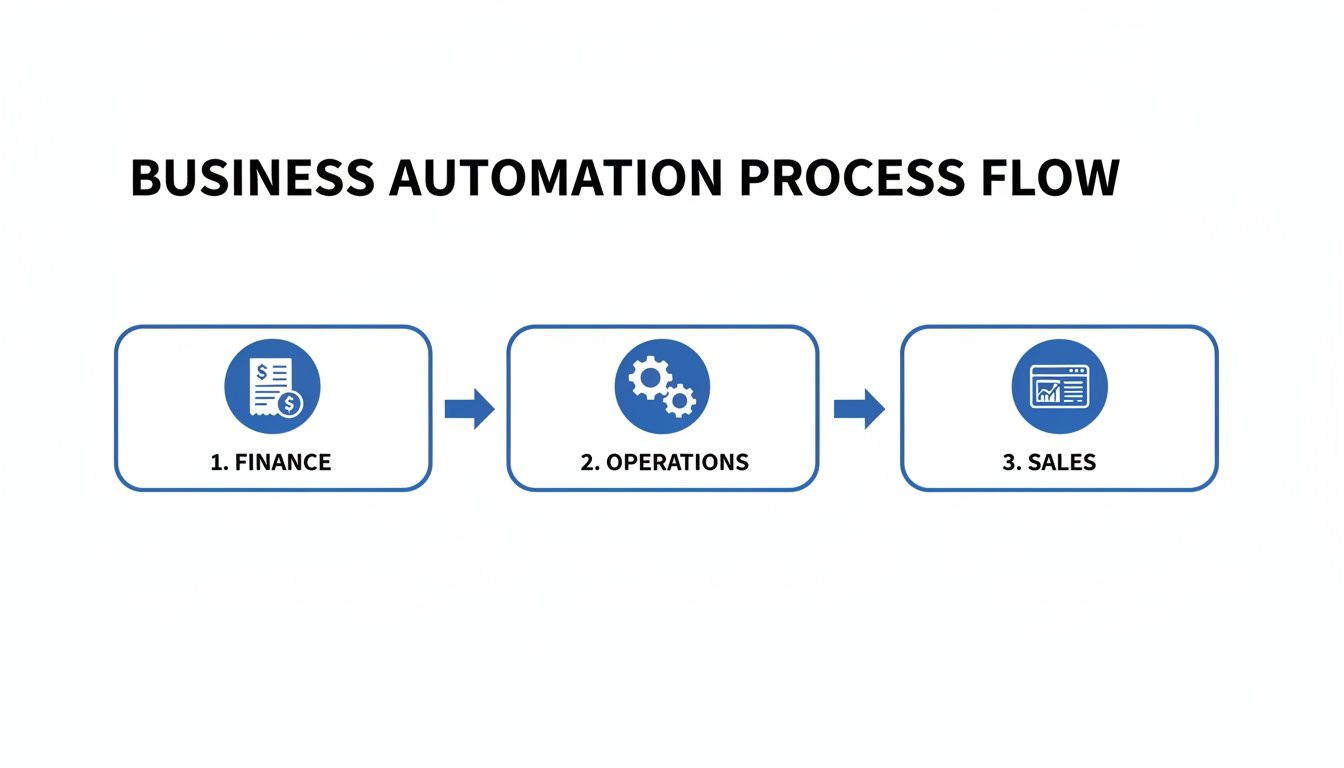
As you can see, a single trigger—like a new sale—can set off a seamless chain of automated actions across the entire business.
Design, Build, Test, and Launch
Now for the fun part: building it. Start by mapping out the current process step-by-step, then design the new, automated workflow. Crucially, involve the team members who actually do the work every day. Their insights are invaluable for spotting potential snags you’d otherwise miss.
Once designed, build a prototype and test it like crazy. Use real-world scenarios to make sure it works exactly as expected before you roll it out to the wider team.
Cultivate a Culture of Automation
This is arguably the most important step: looking after the human side of the change. Technology is only as good as the people who use it. Be upfront and clear about why you're automating, emphasising that the goal is to empower your team with better tools, not to replace them.
Provide fantastic training and ongoing support. Celebrate the small wins to build enthusiasm and show everyone how automation is making their work lives genuinely better. By fostering a culture that sees automation as a powerful ally, you ensure your investment delivers lasting, meaningful value for the entire organisation.
Navigating the implementation journey can be tricky, and many businesses stumble into predictable traps. Being aware of these common pitfalls ahead of time can make all the difference between a project that stalls and one that delivers incredible results.
BPA Implementation Pitfalls and How to Avoid Them
| Common Pitfall | Why It Happens | Wisely's Recommended Solution |
|---|---|---|
| Trying to Automate Everything at Once | Over-enthusiasm and a lack of clear priorities lead to a scattered approach that rarely delivers value. | Start small, win big. Focus on one or two high-impact, low-complexity processes first. Use these early wins to build momentum and prove ROI. |
| Ignoring the Human Element | Teams see automation as a threat to their jobs, leading to resistance and poor adoption. | Communicate openly and often. Frame automation as a tool to remove tedious tasks and free up staff for more strategic, fulfilling work. Provide thorough training and support. |
| Choosing the Wrong Technology | Selecting a tool that is too complex, too simple, or doesn't integrate well with existing systems. | Focus on flexibility and scalability. Choose a platform like monday.com that can grow with you. Work with a partner to assess your specific needs before committing. |
| Automating a Broken Process | Applying automation to a fundamentally flawed workflow simply makes a bad process run faster. | Map and refine first. Before you automate anything, map out the existing process. Involve your team to identify and fix inefficiencies, then apply automation. |
| Setting Vague, Unmeasurable Goals | Without clear KPIs, it's impossible to know if the project was a success or justify future investment. | Define success with numbers. Set specific, measurable targets from the start (e.g., "reduce invoice approval time by 75%"). This makes it easy to track progress and demonstrate value. |
By keeping these points in mind, you can proactively steer your project away from common roadblocks and towards a successful, high-value outcome that your team will embrace.
Your Questions About Business Process Automation, Answered
As businesses start to see what process automation can do for them, a few common questions always come up. Getting straight answers is the first step to moving forward with confidence. Let's tackle some of the most frequent queries to clear up the practical side of bringing automation into your organisation.
Think of this as your cheat sheet for understanding where to start, what to expect, and how to measure the real-world impact on your business.
Which Business Processes Are Best to Automate First?
The smartest way to get started is to look for the low-hanging fruit. I’m talking about tasks that are highly repetitive, follow strict rules, and are often where human error creeps in. Nailing these first creates quick wins that build momentum and get your team excited about the change.
Good starting points often include things like:
- Data Entry: All that time spent copying and pasting information between spreadsheets, emails, and your core business systems.
- Invoice Processing: The grind of manually entering invoice details, then chasing up approvals.
- Standard Report Generation: Pulling the same data from the same places to build a weekly or monthly report.
Focus on processes where automation can deliver a fast, tangible return. When you can show clear success in these initial projects, it proves the concept and makes it much easier to get buy-in for more ambitious automation down the track.
Does Business Process Automation Replace Jobs?
This is a big one, and it's a valid concern. But the real goal of BPA isn’t to replace employees. It’s actually about augmenting their capabilities and making their work more valuable and, frankly, more interesting.
The true purpose of automation is to free your talented team from the mundane, repetitive tasks that drain their time and energy. This allows them to focus on strategic, creative, and customer-facing work that requires human insight and drives real business value.
By handing over the robotic work to technology, you empower your people to solve bigger problems, come up with new ideas, and build stronger relationships with clients—the kind of activities that directly fuel growth.
How Do We Measure the ROI of Automation?
Measuring the return on your automation investment is pretty straightforward once you know what to track. It's a mix of looking at the hard numbers and the softer, but equally important, benefits.
Key metrics to keep an eye on include:
- Time Saved: Calculate the exact hours your team gets back for each automated task or process.
- Error Reduction: Monitor the drop in costly mistakes. Fewer errors mean less time and money spent on rework.
- Increased Throughput: Measure how many more tasks (like customer orders or support tickets) your team can process in the same amount of time.
Don't forget to look at the qualitative benefits, too. Things like improved employee morale and higher customer satisfaction scores have a powerful, long-term impact on your bottom line.
What Is the Difference Between BPA and RPA?
It’s helpful to think of the relationship between BPA and RPA as strategy versus a specific tool.
Business Process Automation (BPA) is the big-picture strategy. It’s about redesigning and improving an entire end-to-end workflow, like your whole customer onboarding journey from first contact to final handover.
On the other hand, Robotic Process Automation (RPA) is a specific technology often used within that BPA strategy. RPA bots are the "digital hands" that automate individual, repetitive tasks—like copying a new customer's details from a web form into three different systems.
In short, RPA is a key component that helps bring the broader BPA vision to life.
Ready to stop wasting time on manual work and start building a more efficient, resilient business? Wisely designs and implements powerful automation solutions using monday.com, managed IT, and Virtual CFO services to help you unlock new levels of productivity and growth. Start your automation journey with us today.