Finding the best CRM software for your small business is more than just picking a tool; it's about building a foundation for scalable growth, organised customer relationships, and smarter sales processes. A Customer Relationship Management (CRM) system acts as the central hub for all your interactions, turning scattered data from emails, calls, and meetings into a clear, actionable picture of your sales pipeline. But with so many options available, how do you know which one is the right fit for your unique needs in New Zealand?
This guide cuts through the noise. We dive deep into the top contenders, analysing their practical use cases, key features, pricing, honest limitations, and crucial implementation considerations. We provide direct links and screenshots for each platform, so you can see exactly how they function. We'll explore everything from sales-focused platforms like Pipedrive to all-in-one solutions like HubSpot and highly customisable Work OS platforms like monday.com. This detailed breakdown gives you the clarity needed to make a confident decision.
For many small businesses, budget is a key consideration, and exploring the 12 Best Free CRM for Small Business Options can be a smart starting point. Whether you're a startup needing a free option or a growing team ready to invest in powerful automation, this comprehensive resource is designed to help you find the perfect match to streamline your operations and drive revenue growth.
1. monday.com Sales CRM
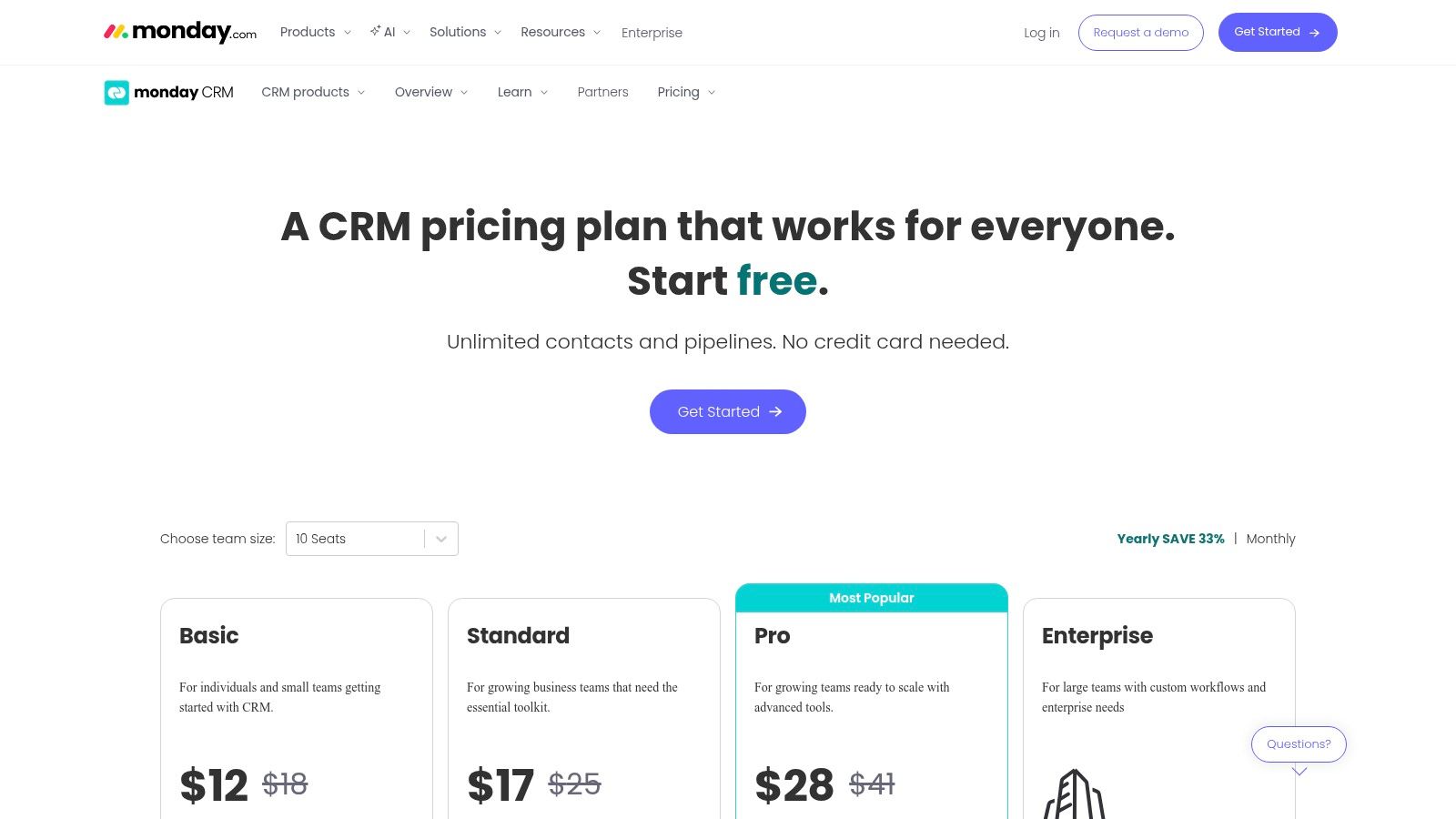
monday.com Sales CRM stands out by integrating a powerful customer relationship management system directly into its acclaimed Work OS platform. This makes it one of the best CRM software for small business options for teams who need sales, project management, and operational workflows to coexist seamlessly. Rather than juggling separate tools, businesses can manage the entire customer lifecycle, from lead capture to project delivery and post-sale support, all within a single, highly visual, and customisable environment.
Its strength lies in its no-code, drag-and-drop interface, allowing teams to build and adapt sales pipelines, automate repetitive tasks like follow-up reminders, and create insightful dashboards without needing technical expertise. This flexibility is a significant advantage, as the CRM can be precisely tailored to a company’s unique processes.
Key Features & Considerations
- Ideal Use Case: Best for businesses already using or planning to adopt the monday.com Work OS. It excels at unifying sales activities with project management, marketing campaigns, and client onboarding, creating a single source of truth across departments.
- Pros: The platform is incredibly intuitive and easy to configure. Its tight integration with other monday.com boards facilitates end-to-end process management, and there are extensive support resources and templates to get started quickly. For those needing advanced setups, learning how a monday.com Platinum Partner can unlock your team's potential is a valuable step.
- Cons: The minimum seat requirements (typically three) can be a barrier for solo entrepreneurs or very small teams. Some advanced reporting functionalities and territory management tools are also locked behind higher-tier plans.
- Pricing: Plans start from the Basic tier at NZD $18 per seat/month, with a minimum of 3 seats required. More advanced automation and integration capabilities are available in the Standard, Pro, and Enterprise tiers.
Website: monday.com/crm
2. HubSpot CRM (Sales Hub)
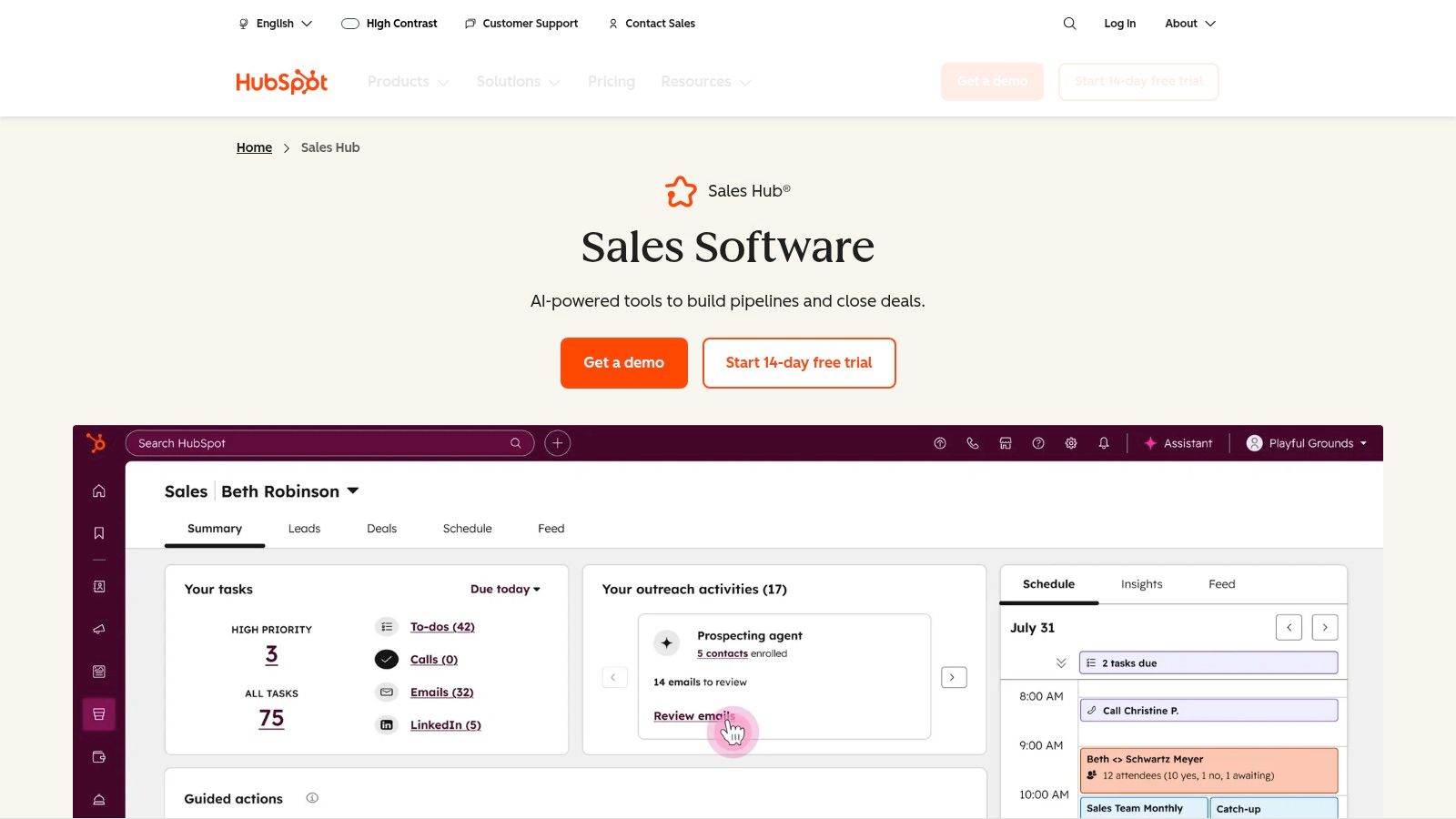
HubSpot CRM is renowned for its powerful, free-to-start platform, making it one of the best CRM software for small business choices for companies eager to grow. It offers a comprehensive suite of tools spanning sales, marketing, and service, all built around a single, user-friendly contact database. This integrated approach allows businesses to manage the entire customer journey, from attracting leads with inbound marketing to closing deals and providing exceptional post-sale support, all within one ecosystem.
Its main appeal for small businesses is the ability to begin with robust free tools and scale up by adding paid features and user seats as the company expands. The platform is designed for ease of use, supported by an extensive knowledge base and the HubSpot Academy, which provides free courses and certifications. This focus on education and scalability empowers teams to adopt CRM best practices without a significant initial investment.
Key Features & Considerations
- Ideal Use Case: Best for small to medium-sized businesses focused on inbound marketing and sales alignment. It’s an excellent choice for teams that want to start on a free plan and grow into a more sophisticated, all-in-one marketing and sales platform.
- Pros: The generous free tier provides significant value, including contact management, email tracking, and deal pipelines. The platform has a massive app marketplace and extensive documentation. To fully leverage HubSpot's capabilities, especially concerning lead capture, their comprehensive HubSpot integration guide is a valuable resource.
- Cons: Costs can escalate quickly when moving to the Professional or Enterprise tiers, which unlock crucial automation and reporting features. Some advanced plans may also require paid onboarding fees, which can be a hurdle for smaller budgets.
- Pricing: A free plan with core CRM tools is available. Paid Sales Hub plans start from NZD $25 per month for the Starter tier, which includes two paid users. Professional and Enterprise tiers offer more advanced features and higher seat limits.
Website: hubspot.com/products/sales
3. Salesforce Starter Suite (Small Business)
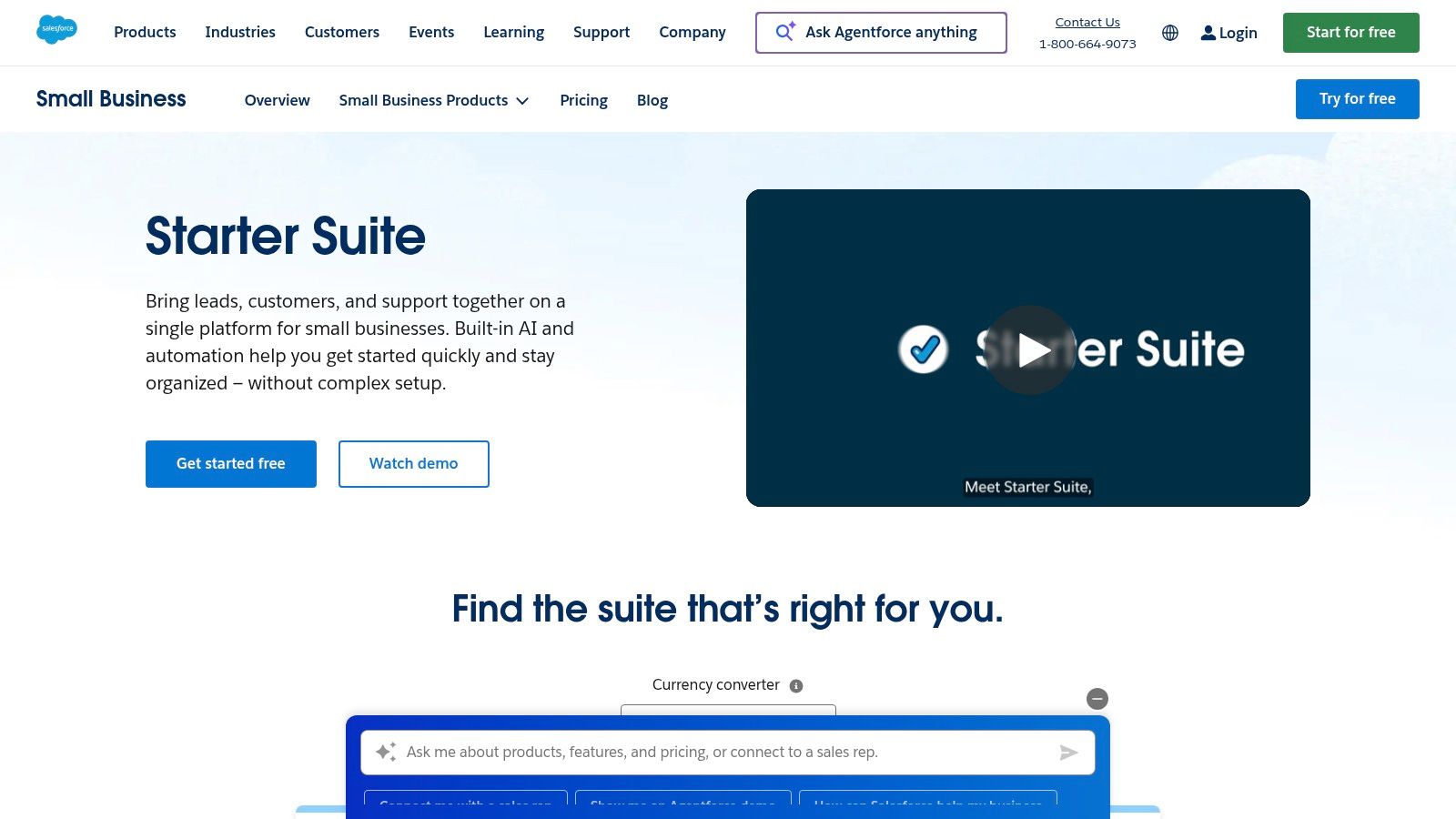
Salesforce Starter Suite packages the power of the world’s leading CRM into an accessible, all-in-one solution designed specifically for small businesses. It combines core sales, service, and marketing functionalities, offering a simplified entry point into a robust ecosystem. This makes it an excellent choice for growing companies that anticipate scaling their operations and want a platform that can grow with them, without the initial complexity of the full Enterprise editions.
The suite is built to streamline customer interactions from the first contact to ongoing support. It provides guided onboarding to help teams get up and running quickly, integrating essential tools like lead and case management with simple marketing automation and Slack connectivity. This unified approach helps small teams work more efficiently and build stronger customer relationships from day one.
Key Features & Considerations
- Ideal Use Case: Best for small, ambitious businesses that need a foundational, all-in-one CRM and plan to scale significantly. It’s perfect for those who want to invest in a trusted, enterprise-grade platform early on, ensuring a clear upgrade path as their needs evolve.
- Pros: The platform provides a structured, guided entry into the powerful Salesforce ecosystem. Its extensibility through the AppExchange is a major advantage, allowing businesses to add specialised functionality as they grow without changing their core CRM.
- Cons: While the Starter Suite is simplified, upgrading to Pro or Enterprise editions can introduce significant complexity and cost. Some advanced features and crucial API access are reserved for higher-tier plans, which could be a limitation for tech-savvy teams.
- Pricing: The Starter Suite is priced from approximately NZD $42 per user/month, offering a combined sales, service, and marketing toolset.
Website: www.salesforce.com/nz/small-business/starter
4. Zoho CRM
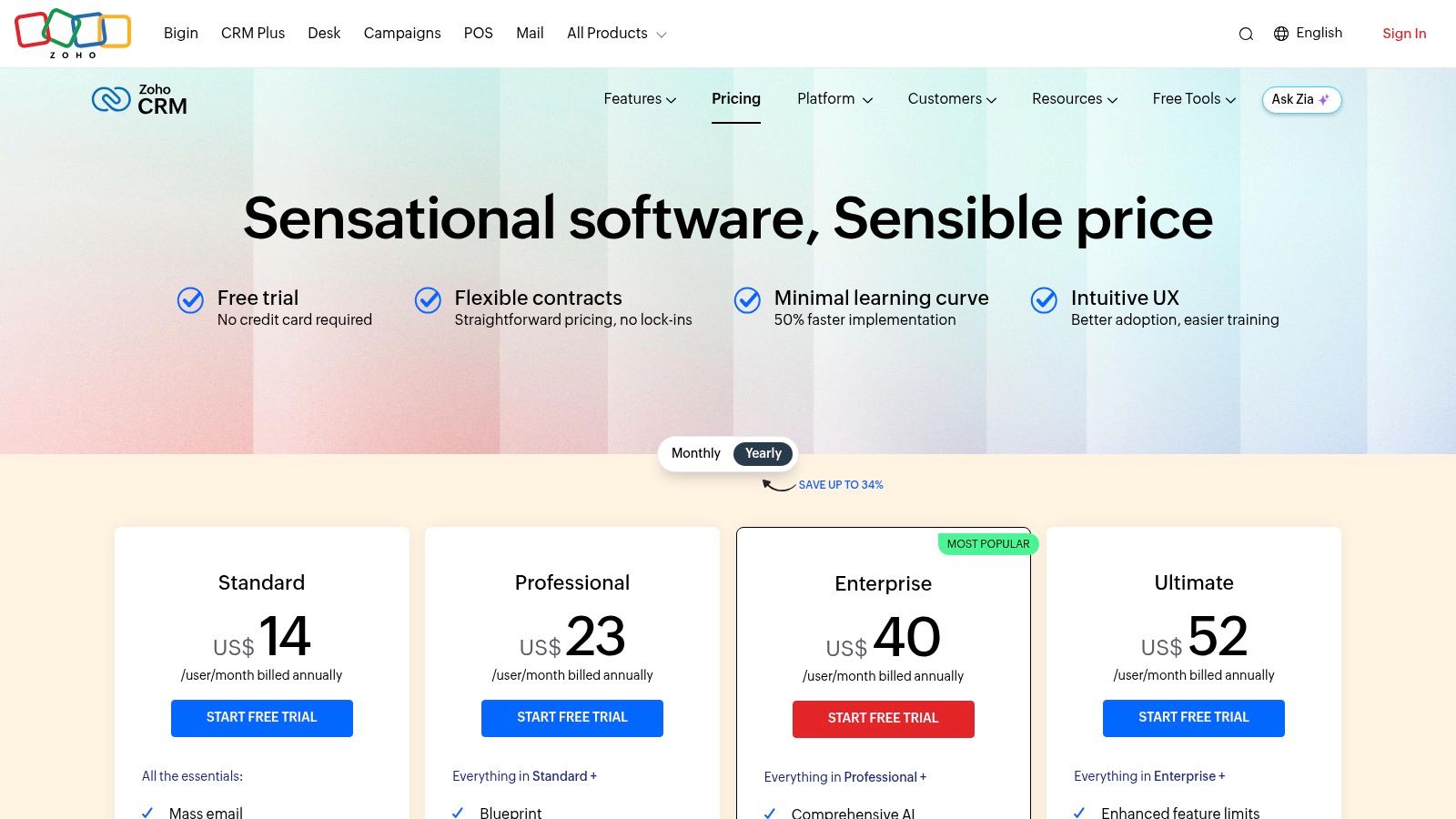
Zoho CRM is renowned for offering a comprehensive, feature-rich platform at a highly competitive price point, making it an excellent choice for cost-conscious small businesses. It serves as the centrepiece of the vast Zoho ecosystem, which includes over 50 applications covering everything from finance and HR to marketing automation. This makes it one of the best CRM software for small business options for companies seeking an all-in-one solution that can scale with their growth.
Its power lies in providing enterprise-grade features, such as workflow automation and advanced analytics, without the enterprise price tag. The platform is designed to help businesses manage sales, marketing, and customer support activities from a single interface, streamlining operations and providing a holistic view of the customer journey.
Key Features & Considerations
- Ideal Use Case: Best for small to medium-sized businesses that need a powerful, scalable CRM and are interested in leveraging a wider suite of integrated business apps. It's particularly strong for companies that want to automate complex sales processes using tools like Blueprint.
- Pros: The pricing is extremely competitive, offering significant value with many advanced features included in lower-tier plans. The deep integration with the Zoho One suite creates a unified, powerful operating system for your entire business, managed through effective cloud IT services.
- Cons: The reporting and customisation interface can have a steeper learning curve compared to some competitors. The most advanced AI features, like the Zia assistant, and other powerful tools are reserved for the higher-priced tiers.
- Pricing: A free plan is available for up to 3 users. Paid plans start from the Standard tier at approximately NZD $23 per user/month, scaling up to the Ultimate edition with more advanced capabilities.
Website: zoho.com/crm/pricing
5. Pipedrive
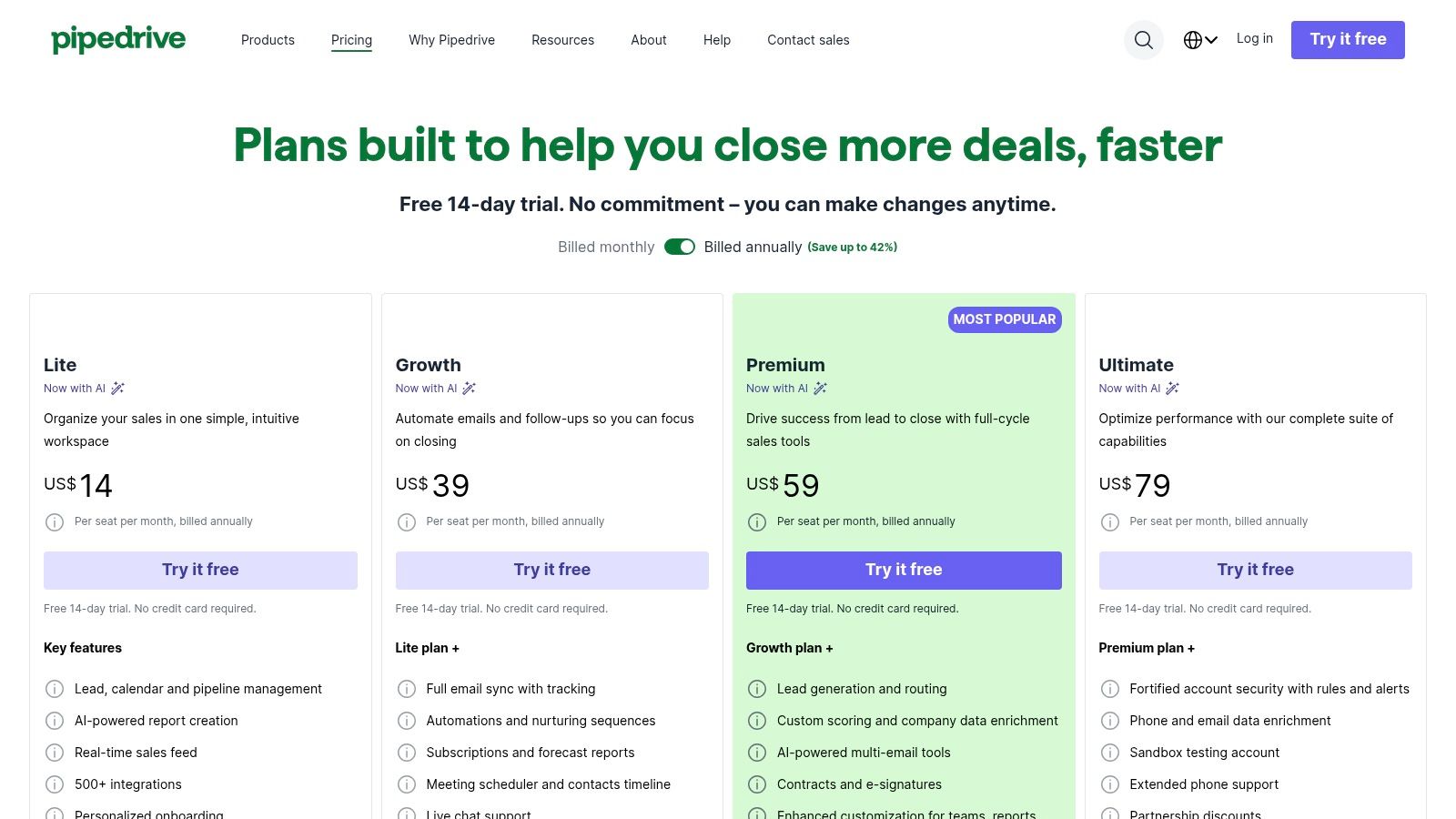
Pipedrive is a sales-first platform designed with one primary goal: to help salespeople sell. It’s earned its reputation as one of the best CRM software for small business options by focusing on a clean, visual sales pipeline that simplifies tracking deals from initial contact to close. Its core philosophy is built around activity-based selling, prompting users to focus on the actions that drive deals forward, making it exceptionally intuitive for sales teams to adopt quickly.
The platform is renowned for its usability and straightforward setup. Rather than overwhelming users with a vast array of features, Pipedrive delivers essential sales tools-like drag-and-drop pipelines, email synchronisation, and scheduling-in a highly accessible package. This focus on simplicity ensures teams can get up and running with minimal training, making it a powerful choice for businesses that need immediate impact and high user adoption.
Key Features & Considerations
- Ideal Use Case: Best for small to medium-sized sales teams that prioritise a clear, visual pipeline and activity management. It’s perfect for businesses wanting a dedicated sales tool without the complexity of an all-in-one platform.
- Pros: The user interface is incredibly easy to implement and use, leading to high adoption rates among sales reps. Pipedrive’s pricing tiers are clear, and the ability to add optional modules for lead generation or marketing allows for scalable growth.
- Cons: Advanced reporting and automation functionalities are reserved for higher-tier plans, which can be limiting for teams needing deeper insights. The cost can also increase significantly when optional add-ons like LeadBooster or Campaigns are included.
- Pricing: Plans start with the Essential tier at approximately NZD $25 per user/month. The Advanced, Professional, and Enterprise tiers unlock more powerful features, automation, and customisation options.
Website: https://www.pipedrive.com/pricing
6. Freshsales by Freshworks
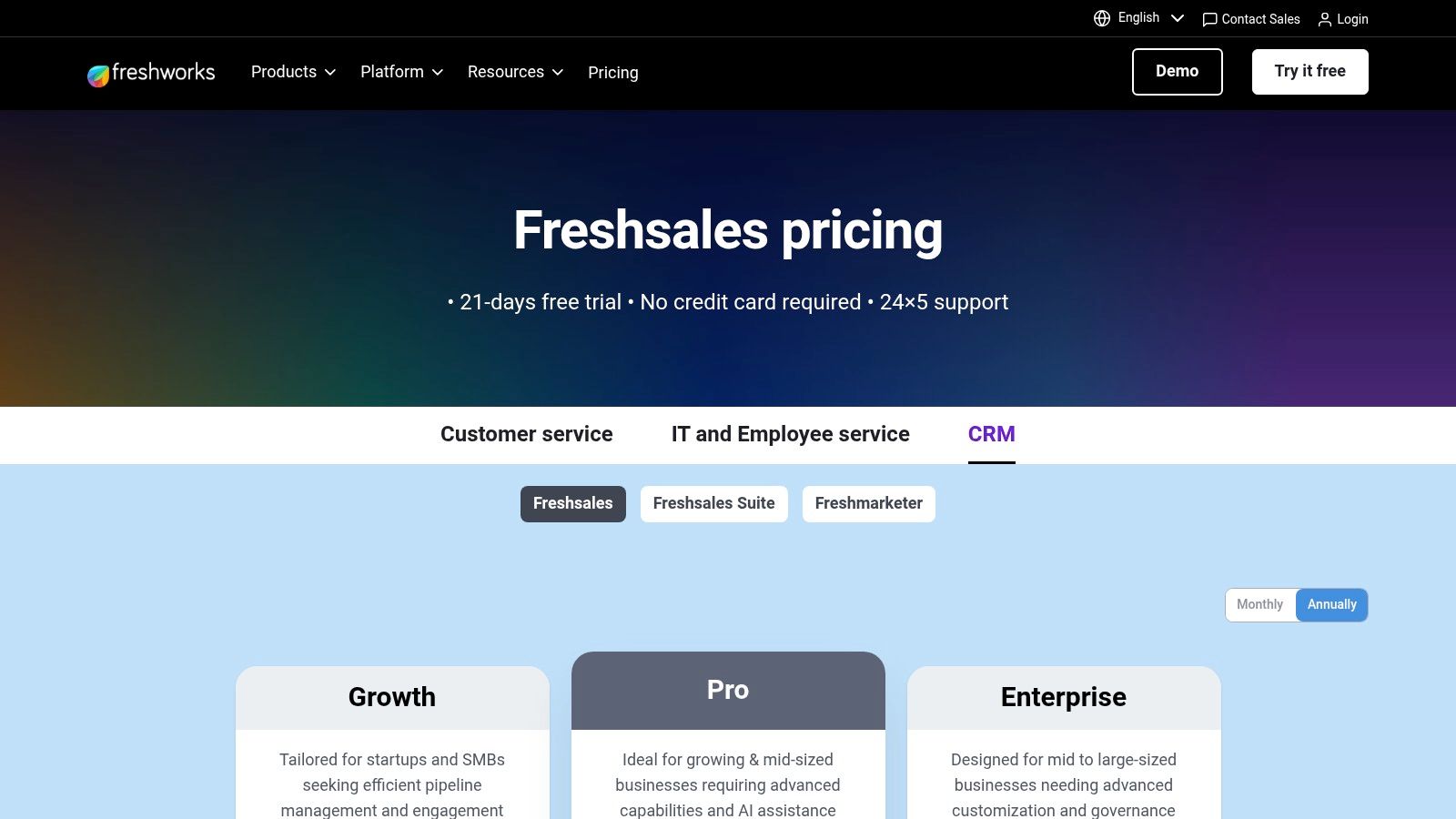
Freshsales by Freshworks is engineered for small businesses that prioritise direct, multi-channel customer communication. It distinguishes itself by consolidating built-in phone, email, and chat functionalities directly within the CRM, eliminating the need for separate communication tools. This unified approach provides sales teams with a 360-degree view of every customer interaction, making it one of the best CRM software for small business options for those who want to engage leads and customers from a single platform.
The system is powered by Freddy AI, which helps automate lead scoring, provides deal insights, and identifies at-risk contacts, allowing teams to focus on the most promising opportunities. By centralising communication and adding an intelligent layer of automation, Freshsales helps businesses streamline their sales process and enhance engagement without a complex tech stack.
Key Features & Considerations
- Ideal Use Case: Best for sales-focused SMBs wanting an all-in-one solution for communication and relationship management. It's particularly effective for teams that rely heavily on phone calls, email campaigns, and live chat to drive their sales cycle.
- Pros: The native communication tools offer excellent value and reduce tool sprawl, simplifying workflows. Its user-friendly interface makes it easy for teams to get started, and the entry-level plans are feature-rich for the price point.
- Cons: The breadth of the full Freshworks suite can feel complex for businesses seeking a simple, standalone CRM. Advanced AI features, multiple sales pipelines, and CPQ (Configure, Price, Quote) tools are reserved for the higher-tier Pro and Enterprise plans.
- Pricing: A free-forever plan is available for up to three users. Paid plans with more advanced features start from the Growth tier at NZD $25 per user/month.
Website: freshworks.com/crm
7. Capsule CRM
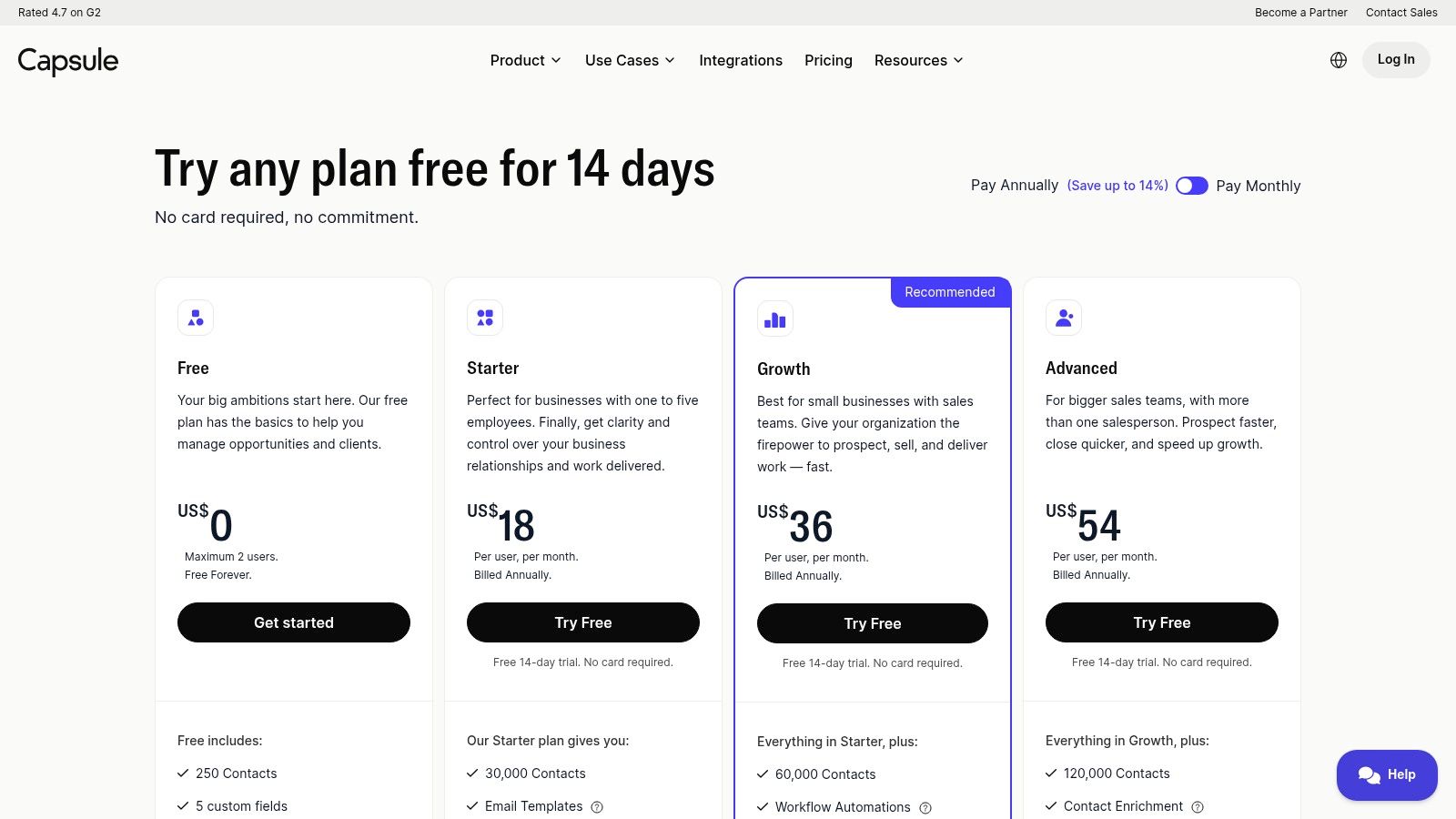
Capsule CRM offers a refreshingly simple and intelligent approach to customer relationship management, making it one of the best CRM software for small business options for teams who value ease of use and efficiency. It strips away unnecessary complexity to focus on core CRM functions: managing contacts, tracking sales opportunities, and handling projects. This streamlined design ensures teams can get started quickly with minimal training, focusing their energy on building relationships rather than wrestling with software.
Its strength lies in its clean interface and tight integrations with popular business tools. Capsule works seamlessly with Google Workspace and Microsoft 365, allowing users to save emails and manage contacts directly from their inbox. Deep integration with accounting software like Xero provides a complete view of the customer relationship, from initial contact to final invoice, all in one place.
Key Features & Considerations
- Ideal Use Case: Best for small businesses and solo entrepreneurs needing a straightforward, no-fuss CRM to organise contacts, manage sales pipelines, and track simple projects. Its strong accounting and email integrations make it a perfect fit for service-based businesses.
- Pros: The user interface is exceptionally clean and intuitive, significantly lowering the learning curve and administrative overhead. A generous free plan for up to two users allows small teams to access core features without any initial investment.
- Cons: The platform lacks advanced marketing automation and in-depth analytics found in more comprehensive systems. Customer support on lower-tier plans is limited primarily to email, which may be a drawback for teams needing immediate assistance.
- Pricing: A free plan is available for 2 users and 250 contacts. Paid plans start with the Professional tier at approximately NZD $29 per user/month, which unlocks more integrations and features like activity reporting and project management.
Website: https://capsulecrm.com/signup/
8. Keap
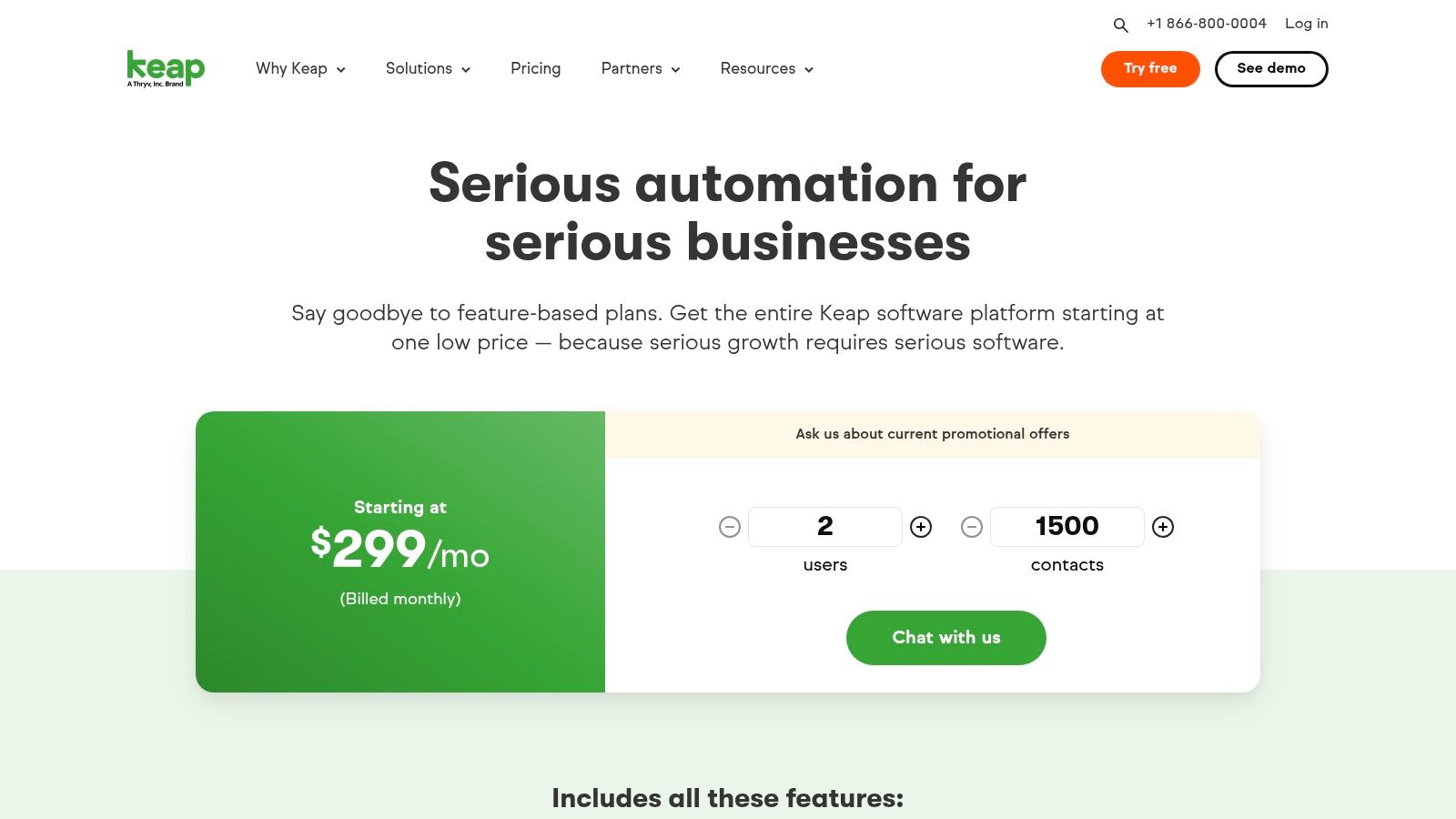
Keap positions itself as a comprehensive all-in-one platform, combining CRM with powerful sales and marketing automation. This makes it a contender for the best CRM software for small business, particularly for service-based companies that rely on automated, multi-step customer journeys. It excels at consolidating tools by integrating lead capture, email and SMS marketing, appointment scheduling, and even invoicing and payments into a single system.
The core strength of Keap lies in its advanced automation builder, which allows businesses to design sophisticated customer follow-up sequences without needing deep technical expertise. This focus on automating the entire client lifecycle, from initial contact to final payment, helps businesses save significant time and ensure no lead falls through the cracks. It's designed to replace multiple disparate applications with one cohesive solution.
Key Features & Considerations
- Ideal Use Case: Best for established service businesses, coaches, and consultants who need to automate complex marketing funnels, client onboarding, and payment collection processes. It’s built for those who want to "set and forget" their client communication workflows.
- Pros: The automation capabilities are incredibly powerful and can genuinely replace several other marketing tools. Keap also provides robust implementation services and success coaching to help users get the most out of the platform.
- Cons: It has a higher starting price point compared to many other CRMs aimed at small businesses, which can be a barrier for new companies. Some plans and features also require an initial onboarding fee, adding to the setup cost.
- Pricing: Plans begin with the Pro tier at NZD $279 per month for 2 users and 1,500 contacts. The Max tier offers more advanced features and e-commerce functionality for a higher price.
Website: keap.com/pricing
9. Tall Emu CRM (AU/NZ-centric)
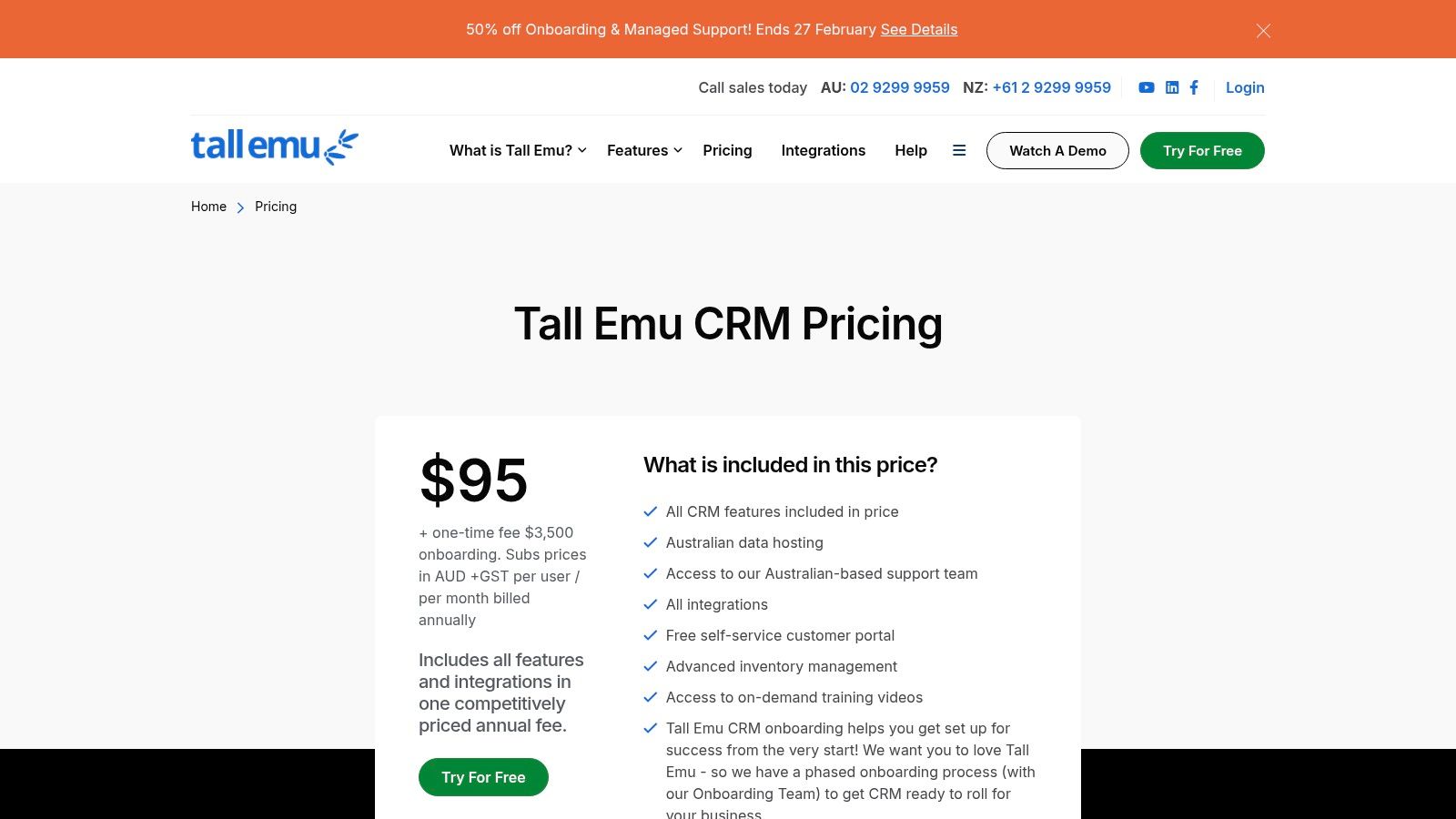
Tall Emu CRM carves out a specific niche as one of the best CRM software for small business options in Australia and New Zealand, particularly for companies that sell physical products. It uniquely combines customer relationship management with deep inventory, quoting, and order processing functionalities. This integrated approach allows businesses to manage the entire order-to-cash workflow, from initial lead contact to final shipment, within a single system.
Its core strength is the tight integration with regional accounting software like MYOB and Xero, alongside local e-commerce and shipping providers. For businesses struggling to connect their sales data with stock levels and financial records, Tall Emu provides a cohesive, centralised solution with the added benefit of local data hosting and support.
Key Features & Considerations
- Ideal Use Case: Best for Australian and New Zealand-based, product-centric SMBs that need to manage inventory, sales orders, and shipping alongside customer relationships. It is an excellent fit for wholesalers, distributors, and e-commerce businesses.
- Pros: The platform is a strong all-in-one solution for businesses with complex inventory and shipping requirements. Its regional focus ensures excellent integration with local business tools and provides accessible, time-zone-friendly customer support.
- Cons: The mandatory one-time onboarding fee adds to the initial investment, which may be a hurdle for some small businesses. Its ecosystem and third-party app marketplace are smaller compared to global CRM giants.
- Pricing: Pricing information is typically provided upon enquiry, reflecting its customised setup. A one-off implementation and training fee is required to get started.
Website: tallemucrm.com/pricing
10. Capterra New Zealand – CRM Software Category
Capterra is not a CRM software itself but an essential resource for finding one. It functions as a comprehensive online directory where businesses can compare hundreds of CRM tools, making it a valuable starting point in the selection process. The New Zealand-localised version is particularly useful for Kiwi businesses, as it provides local context and surfaces reviews from regional users, helping to find the best crm software for small business needs within the market.
Its primary strength lies in its powerful filtering and comparison tools. Users can narrow down options based on specific features, business size, industry, and pricing models. The platform aggregates thousands of verified user reviews, offering unfiltered insights into the real-world performance, usability, and customer support of various CRM vendors. This allows decision-makers to create a well-researched shortlist before committing to demos or trials.
Key Features & Considerations
- Ideal Use Case: Best for businesses in the initial research and shortlisting phase of their CRM selection journey. It's an excellent tool for discovering new vendors and validating the claims of well-known providers through peer reviews.
- Pros: The sheer volume of software listings and verified user reviews is a major advantage. The NZ-specific site helps in understanding the local landscape, and its side-by-side comparison feature simplifies the evaluation of top contenders.
- Cons: The platform's revenue model relies on vendor listings, so sponsored placements can influence the default sorting and visibility of certain products. Users must also navigate away from Capterra to the vendor's site for trials or purchases.
- Pricing: Capterra is a free-to-use resource for software buyers. Pricing information for individual CRM products is provided as a snapshot but should always be verified on the official vendor website.
Website: capterra.co.nz/directory/2/customer-relationship-management/software
11. GetApp New Zealand – CRM Listings
GetApp isn't a CRM itself but a crucial resource platform from Gartner Digital Markets for finding the best CRM software for small business needs in New Zealand. It acts as a comprehensive directory, providing detailed category pages, powerful filters, and verified user reviews to help Kiwi businesses compare and shortlist potential tools. This approach empowers users to make an informed decision based on local user experiences and specific business requirements, from industry type to company size.
The platform excels at simplifying the initial research phase. Instead of visiting dozens of vendor websites, businesses can use GetApp’s comparison tools to see key features, pricing, and pros and cons summarised side-by-side. It offers direct links to vendor trials and product pages, streamlining the process of exploring top contenders and ensuring the software choices are relevant to the New Zealand market.
Key Features & Considerations
- Ideal Use Case: Best for small businesses at the beginning of their CRM selection journey. It's an invaluable tool for market research, creating a shortlist of relevant software, and validating choices through authentic, verified user reviews.
- Pros: The platform has a strong local New Zealand presence and uses an independent research methodology. Its filtering and comparison tools are incredibly helpful for narrowing down a vast market of CRM options efficiently.
- Cons: The main category landing pages can sometimes require extra clicks to find specific CRM subpages. Users should also be aware that sponsored placements are often mixed in with organic search results.
- Pricing: Free to use for research and comparison. Pricing information for individual CRM vendors is provided on the platform, with links to the respective product websites.
Website: getapp.co.nz/directory/131/customer-relationship-management/software
12. G2 – Best CRM Software for Small Business
G2 is not a CRM software itself, but a global software marketplace and review platform that deserves a place on any shortlist. It's an invaluable resource for validating choices by leveraging real-world, verified user feedback. Rather than relying solely on vendor marketing, businesses can use G2’s dedicated category for the best CRM software for small business to see how different platforms perform in practice, comparing them based on peer reviews and comprehensive satisfaction ratings.
Its power lies in its structured data and robust filtering capabilities. You can analyse platforms using the G2 Grid, which plots software based on user satisfaction and market presence, providing a quick visual reference of category leaders and niche players. This allows you to cross-reference your own requirements against the collective experience of thousands of other small businesses, helping to surface potential pros and cons that might not be immediately obvious.
Key Features & Considerations
- Ideal Use Case: Best for businesses that have created a shortlist of two to three CRM options and need unbiased, detailed peer reviews to make a final decision. It’s also excellent for discovering new or specialised CRM tools you may have overlooked.
- Pros: The sheer volume of up-to-date user reviews provides deep, authentic insights. The platform’s comparison tools allow for direct, feature-by-feature analysis of different CRM vendors side-by-side, which is extremely useful for validation.
- Cons: The platform is not specific to New Zealand, so pricing is often displayed in USD and local support experiences may not be well-represented. Differentiating between the various G2 reports and Grid rankings can also be confusing for new users.
- Pricing: Access to G2’s reviews and comparison tools is free for users.
Website: g2.com/categories/crm/small-business
Top 12 Small-Business CRM Comparison
| Product | Core features ✨ | UX / Quality ★ | Value & Pricing 💰 | Target audience 👥 | Unique selling points 🏆 |
|---|---|---|---|---|---|
| monday.com Sales CRM | Configurable boards, automations, email/call timeline ✨ | ★★★★☆ | 💰 Mid; minimum seats | 👥 Teams standardising on monday.com | 🏆 End‑to‑end monday Work OS integration |
| HubSpot CRM (Sales Hub) | Contact/deal mgmt, email tracking, large app marketplace ✨ | ★★★★☆ | 💰 Free entry; can scale costly | 👥 SMBs & growth teams | 🏆 HubSpot Academy + broad ecosystem |
| Salesforce Starter Suite (Small Business) | Core sales/service objects, Slack, guided onboarding ✨ | ★★★★☆ | 💰 Mid with upgrade path to Pro/Enterprise | 👥 Small businesses wanting enterprise scale | 🏆 Trusted enterprise platform & AppExchange |
| Zoho CRM | Multi‑pipeline, Blueprint workflows, Zia AI ✨ | ★★★★☆ | 💰 Competitive; strong low‑tier value | 👥 Cost‑conscious SMBs | 🏆 Deep Zoho suite / Zoho One option |
| Pipedrive | Drag‑and‑drop pipelines, email sync, 500+ integrations ✨ | ★★★★☆ | 💰 Clear tiers; add‑ons may increase cost | 👥 SMB sales teams seeking simplicity | 🏆 Fast adoption; sales‑first UX |
| Freshsales by Freshworks | Built‑in telephony, chat, AI insights (Freddy) ✨ | ★★★★☆ | 💰 Good entry value; higher tiers pricier | 👥 SMBs needing native communications | 🏆 Consolidated multichannel communications |
| Capsule CRM | Contact/opportunity mgmt, projects, Xero/Google integrs ✨ | ★★★★☆ | 💰 Affordable; free 2‑user plan | 👥 Small teams wanting low admin overhead | 🏆 Clean UI + strong Xero/M365 integrations |
| Keap | Advanced automation, email/SMS, payments & appointments ✨ | ★★★★☆ | 💰 Higher starting price; all‑in‑one value | 👥 Service businesses needing commerce & journeys | 🏆 Powerful automation + built‑in payments |
| Tall Emu CRM (AU/NZ‑centric) | CRM + quotes/orders/inventory; MYOB & Xero integrs ✨ | ★★★★☆ | 💰 Regional pricing; one‑time onboarding fee | 👥 Product SMBs in AU/NZ with inventory | 🏆 Order‑to‑cash focus + AU/NZ hosting & support |
| Capterra New Zealand – CRM Category | NZ directory, feature filters, pricing snapshots ✨ | ★★★★☆ | 💰 Free research; sponsored listings present | 👥 NZ buyers shortlisting CRMs | 🏆 Localised NZ pricing & review volume |
| GetApp New Zealand – CRM Listings | NZ listings, comparisons, verified reviews ✨ | ★★★★☆ | 💰 Free; mixes sponsored & organic results | 👥 NZ buyers needing shortlist tools | 🏆 Gartner Digital Markets filters & research |
| G2 – Best CRM Software for Small Business | SMB CRM category, Grid rankings, verified reviews ✨ | ★★★★★ | 💰 Free insights; global pricing (USD) | 👥 Buyers validating shortlists with peer feedback | 🏆 Large review volume + Grid market/satisfaction data |
Making Your Final CRM Choice a Wise One
Choosing the best CRM software for your small business is a foundational decision that will shape your customer relationships, streamline your sales processes, and ultimately drive your growth. Throughout this guide, we have navigated a diverse landscape of powerful platforms, each offering a distinct approach to managing the customer lifecycle.
We’ve seen the highly visual and customisable workflows of monday.com Sales CRM, perfect for teams that value flexibility and cross-departmental collaboration. We explored HubSpot’s extensive free tier, an excellent entry point for start-ups, and the enterprise-grade power of Salesforce, now more accessible to small businesses through its Starter Suite. From the deep customisation options of Zoho CRM to the sales-focused simplicity of Pipedrive and the local expertise of Tall Emu, the options are plentiful.
Key Takeaways for Your Decision-Making Process
The core lesson is that there is no single "best" CRM; there is only the best CRM for your specific context. The right platform for a B2B service provider in Auckland will likely differ from that of an e-commerce start-up in Queenstown.
To move forward with confidence, refocus on your unique business needs. Consider these critical factors:
- Your Sales Process: Is your sales cycle long and complex, or short and transactional? A tool like Pipedrive excels at visualising linear pipelines, while monday.com or Salesforce can be adapted for more intricate, non-linear customer journeys.
- Integration and Ecosystem: Your CRM should not exist in a vacuum. Evaluate how well a potential platform integrates with the tools you already use daily, such as your accounting software, email marketing platform, and project management tools. A well-connected tech stack prevents data silos and manual work.
- Scalability and Future Growth: While your immediate needs are paramount, consider where your business will be in three to five years. Select a system that can grow with you, offering more advanced features, higher user limits, and sophisticated automation as your team and customer base expand.
- User Adoption: The most powerful CRM is useless if your team refuses to use it. Prioritise an intuitive user interface and invest in proper training. A platform’s complexity should match your team’s technical comfort level.
Implementation: The Bridge Between Software and Success
Remember, the software itself is only one part of the equation. A successful CRM implementation is a strategic project that requires careful planning, data migration, process mapping, and comprehensive team training. A poorly executed rollout can lead to low adoption, messy data, and a frustrating experience for everyone involved.
Defining your goals before you start is crucial. Do you want to reduce lead response time? Improve sales forecasting accuracy? Increase customer retention? Clear objectives will guide your setup and provide measurable benchmarks for success.
Making this choice can feel overwhelming, but it represents a significant opportunity to centralise your operations and build a more resilient, customer-centric organisation. By carefully evaluating your needs against the capabilities of these leading platforms, you can confidently select the best CRM software for your small business and lay the groundwork for a more organised and profitable future.
Ready to transform your sales process but unsure where to start? The team at Wisely specialises in helping New Zealand businesses select, customise, and implement the perfect CRM solution. As advanced monday.com partners, we build powerful, custom pipelines and workflows that connect your people, processes, and technology for unparalleled efficiency.
Book a discovery call with a Wisely expert today to find the right CRM for your business.